A live 4-hour workshop for brand managers, agencies and business owners. You leave with a finished 15–20 second ad, reels cut from one long video, and a workflow your team can repeat.
Live, with real Q&A. No editing experience needed. Bring a laptop.
AI can help. It can also make ads that look cheap, break your brand rules, and get you into trouble over a face or a song. This morning shows you where AI video earns its keep, where it hurts the brand, and how to run it safely. Tools change every few weeks. The workflow does not.
No editing experience needed. Bring a laptop. A phone alone is not enough.
You are asked for more video every quarter, with the same team and budget.
Your clients are asking for AI video. Know what to promise, what it costs, and how to deliver it safely.
Make your own ads and reels, or brief the people who do. Either way, know what good looks like.
Using a client’s brand or footage? Bring it only if the client has said yes.
Four hands-on blocks. You make things during the session, not after it.
Guess which clip is AI. What marketing teams use it for today. The honest limits.
Name the job first, the tool second, so the skill survives when tools change.
Turn a one-line brief into a 6-shot list with an AI assistant. Make storyboard frames with your own product, and keep it looking the same in every frame.
Set the first and last frame, prompt the motion in camera words, fix what breaks, and pick a model on cost.
AI finds the best moments in a long video, cuts the reels, removes the umms and silences, and adds captions. You choose what stays.
Voice-over, music and sound, your logo and end card. Export the 15–20 second ad in 9:16 and 16:9.
AI labels on YouTube and Meta, consent for faces and voices, music rights, client approvals, and what to put in an agency or freelancer contract. A checklist, not legal advice.
Real tool costs, what to do in-house and what to hand to an agency, how to brief and review AI video work, and a 30-day rollout plan.
All times IST. Tools change every few weeks, so we may swap a tool on the day. The steps and the timings stay the same.
Made by the Onewrk team and published on our own channel, Shotless Studio. In the workshop you make a 15–20 second ad with the same steps.
We name the job first and the tool second. Tools change every few weeks. The workflow does not.
Who it is for, the one thing to say, and the format.
Shot by shot, not an essay.
Framing, movement and length.
Image tools turn the plan into pictures. This is where the client or your boss says yes.
Then prompt the motion. This is where you take control.
You make the final cut, mix, label it as AI, and deliver.
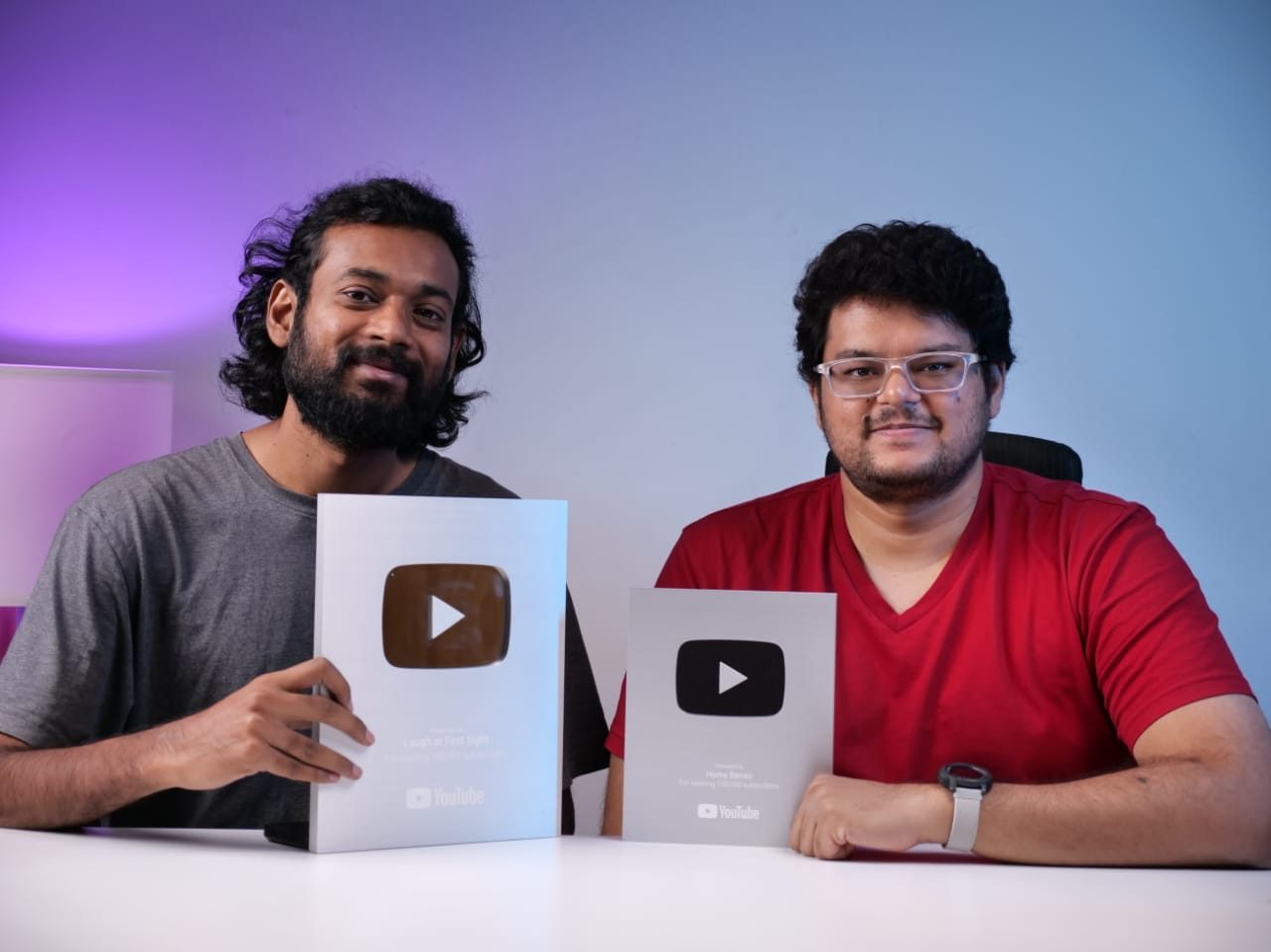
Onewrk’s two co-founders. Onewrk is a small Bengaluru firm, and the two of us run it. We build studios and advise brands on video. Both of us hold YouTube Silver Play Buttons. We have worked on channels like Heartfulness and Pot and Bloom, and we make AI films on our own channel, Shotless Studio. The samples on this page come from it.
Want this privately for your company, on your own brand assets and briefs? We run private team workshops.
See team training → Or email hello@onewrk.com.Enough for the whole workshop: Google Flow, Krea, Kling, Ideogram, DaVinci Resolve (free version), a free AI chat assistant, a free AI clipping tool (we name the one we use in your pre-work), and a free AI voice tool, or your own voice.
Optional. More generations if your team wants more room to try things.
Optional. For heavy, regular use.
Google’s India prices as of October 2026. Check before you buy. Tool prices change often.
We do not teach CapCut. It is blocked in India, and its terms take rights over footage you upload, including your client’s.
₹999, GST included. One payment. The free tools are enough for the whole workshop.
Taught live by Nikhil Bhansali and Kishore T. 40 seats.
Saturday 28 November · English
₹999GST included
Sat 28 Nov · 10 AM – 2 PM IST · Live online
You pay ₹999. GST is included. One payment.
Opened this inside Facebook or Instagram? Payments, especially UPI, often get stuck in their built-in browser. Open this page in Chrome to pay smoothly.
Opened this inside Facebook or Instagram? Payments, especially UPI, often get stuck in their built-in browser. Tap ··· at the top and choose Open in browser.
Open in ChromeOnline payment is not available this minute. Fill in your details above, then tap below. We will send you the payment link on WhatsApp.
Reserve my seat on WhatsAppOr email hello@onewrk.com.
Booking for the 28 November workshop has closed. WhatsApp us to hear about the next batch.
Tell me about the next batchWe confirm your seat on WhatsApp and email the same day. The joining link and the pre-work reach you before the workshop.
Trouble paying? WhatsApp us at +91 96795 13231.
Yes. No editing experience is needed. We go step by step, and you make each piece with us during the session. You need a laptop or desktop with Chrome. A phone alone is not enough.
Yes. Nikhil and Kishore teach it live on a call, with real Q&A. Seats are capped at 40 so questions get answered.
Yes. The whole workshop is in English.
A finished 15–20 second ad or reel in 9:16 and 16:9, reels cut by AI from one long video, the six-step workflow, the template pack, and the recording for 30 days. There is no certificate.
No. The free route is enough for the whole workshop: Google Flow, Krea, Kling, Ideogram, DaVinci Resolve (free version), a free AI chat assistant, a free AI clipping tool (we name the one we use in your pre-work), and a free AI voice tool, or your own voice. Google AI Plus (₹399 a month) and Google AI Pro (₹1,950 a month) are optional.
Only with the client’s permission, so get a yes before the day. If you are not sure, use your own brand or our sample video. We cover client approvals and consent in the brand-safety block. It is also one reason we do not teach CapCut: its terms take rights over footage you upload.
Yes. Each person books their own seat, so each gets the joining link, the template pack and the recording. If 5 or more of you want it privately, on your own brand assets, we run private team workshops. See team training or email hello@onewrk.com.
Tell us at least 48 hours before the start (by 10 AM IST, Thursday 26 November) and you get a full refund. Inside 48 hours there is no refund, but you can move to a later batch once, free. If you miss it without telling us, there is no refund and no move, but you still get the recording for 30 days.
Yes. ₹999 is the full price, GST included. One payment.
Zoho Payments issues a receipt for your payment. For a GST invoice in your company’s name, email hello@onewrk.com after you book, with the company name and GSTIN.
No. AI is good at some jobs and bad at others. It still struggles with hands, text on screen, and keeping a face or a product the same from shot to shot. We show you where it earns its keep, and where a camera is still the better answer.
No. We give you a checklist: AI labels on YouTube and Meta, consent for faces and voices, music rights, client approvals, and what to put in an agency or freelancer contract. It is a checklist, not legal advice.
We have not set a date yet. WhatsApp us to hear about the next batch.
4 hours, live, in English. 40 seats. ₹999, GST included.
Book my seat — ₹999