AI Video Training for Your Team: From UGC Clips to Cinematic Films

A 7-day program, 16 hours hands-on, delivered inside your company by our AI, editing and video specialists. Your team leaves with one repeatable AI video workflow (topic, script, storyboard, anchored frames, generation, edit) that plugs into the content pipeline you already run and survives every model upgrade.

7 daysProgram, start to handover
16 hrsHands-on: 4 sessions × 4 hours
3Specialist tracks: AI, editing, video
1Workflow your team owns

Brands and channels we’ve worked with — across channel management, production, campaigns and collaborations. Subscriber counts belong to the channels, not to us.

Little Parva PreschoolTMKAS Industrial SolutionsNavera VenturesKarnataka Metal CorporationNovelAireLavenDr Jagat Shah
Your team does not have an AI problem. It has a process problem.

Most brand teams have already tried. Someone opened Veo or Runway, typed a paragraph, got eight seconds of something almost right, tried again and got something different. The slide at the next review read "AI video: promising, inconsistent." That verdict is fair for the way most teams use these tools: prompt, hope, re-roll. It says nothing about what the tools can do when there is a process around them.

The process that works is not complicated, but it is disciplined. Decide the topic first. Script it. Visualise the storyboard, then build that storyboard as images. Then anchor every shot with a first frame and a last frame, add a transition frame where the cut needs help, and prompt only the motion in between. Generation stops being a lottery because you have already decided what the shot looks like at both ends. The edit stops being a rescue and becomes assembly. And because the boards and frames are the asset, the workflow is model-agnostic — plug it into any API, and when a better model ships next quarter you rerun the same boards instead of starting over.

This program installs that workflow in your team in seven days. It is the one we run in our own production. It is not a tour of tools, and it does not depend on any single vendor still being the best one in six months.

The AI video production workflow we install

Six steps, in this order, every time. Steps one to four are where the thinking happens; step five is where control lives; step six is where it becomes a finished piece.

Freeze the topic

An editorial decision before any tool is opened: who the piece is for, the one thing it has to land, the format it belongs in (UGC clip, explainer, ad, brand film) and where it publishes. Written down as a brief your team already recognises.

Script it

AI-assisted or written by hand, the script comes out as a shot list, not prose: what is said, what is seen, how long each beat runs. Your brand voice and claims rules are applied here, where they are cheap to enforce.

Visualise the storyboard

Shot by shot on a whiteboard or a doc: framing, camera movement, duration, how one shot hands to the next. This is where a video specialist earns their keep, and where most AI-only teams skip straight past.

Build the storyboard with image models

Each board becomes an image: consistent characters, products and environments held together with reference images and style locks. Stakeholders approve the boards here, before a second of video is generated.

Anchor the frames, prompt the motion

First frame, last frame, a transition frame where the cut needs one, and a prompt for what happens between them. Model chosen per shot (Veo, Kling, Runway, Higgsfield) for what that shot needs. Batches run through the UI or the API.

Edit, sound, package, publish

Assembly, voice and music, grade, brand packaging, platform disclosure, QA against the boards, then out through your usual publishing step. Because the ends of every shot were known, the cuts land.

First frame
Prompted motion
Transition frame
Prompted motion
Last frame

You decide the solid frames. The model only fills the dashed ones. That is the whole trick.

Control

Composition, continuity and product fidelity are decided by your team in the frames, not left to the model's mood on the day.

An easier edit

Shots cut together because both ends were planned. Editors assemble and grade instead of hunting for a usable second.

Model-agnostic

Boards and frames are the asset. Point them at any model or API; when a better one ships, rerun the same boards.

Reviewable

Approvals move upstream to the storyboard. Legal, brand and the CMO sign off on boards, not on a finished video nobody wants to redo.

What your team will be able to make

The same workflow scales from a phone-native product clip to a multi-shot brand film. What changes is how much planning each shot deserves, not the process.

Volume

UGC-style social clips

Phone-native product and lifestyle clips for Shorts, Reels and paid social. Fast turnaround, many variants, one storyboard template reused across SKUs and markets.

Explanation

Explainers & presenter hybrids

A real presenter or voice-over carried by generated b-roll, diagrams brought to life and scene inserts that used to mean a shoot or a stock licence.

Campaign

Product & campaign ads

Hero shots, controlled camera moves and environment changes around a product held consistent by reference frames. Concept-tested in boards before budget is spent.

Cinematic

Brand & cinematic films

Multi-shot sequences with continuity, deliberate camera language and a grade, built shot by shot from anchored frames. This is where the video specialist track matters most.

Where AI still loses, and what to do about it. Legible on-screen text, hands, long continuous action and exact product geometry remain unreliable. We teach your team to spot those shots at the storyboard stage and route them to live footage, 3D or a simpler treatment, instead of spending two days re-rolling a shot that was never going to work.

How it fits the content production pipeline you already run

Nothing about your calendar, approvals or publishing changes. AI enters at three stages, and the approval gate gets a better artefact to approve.

BriefMarketing owns
ScriptWriter, AI-assisted
StoryboardImage models
ApproveBoards, not videos
GenerateAnchored frames
EditAssemble & grade
QABrand & disclosure
PublishYour usual step

Stages where the AI workflow plugs in. Everything else stays yours, unchanged.

Who does what afterwards

Brand and content managers own topics and approvals. Writers own scripts as shot lists. Designers and editors own boards, frames and the edit. Once frames are anchored, generation itself can sit with anyone on the team, which is what makes volume possible.

Brand standards, built in

Your reference images, style locks and packaging rules live in a shared library the whole team prompts from. Consistency stops depending on who was at the keyboard.

Rights and disclosure

We cover platform disclosure requirements for synthetic content, how tool licences treat commercial outputs, and keeping likenesses and third-party material out of prompts unless you hold the rights. Your legal gate stays exactly where it is.

Seven days. Four hands-on sessions. Your briefs, not ours.

Three specialists work with your team: an AI specialist for models, prompting and APIs; an editing specialist for assembly, sound and packaging; a video specialist for framing, camera language and what to shoot rather than generate. Every session runs on real briefs from your calendar.

1

Topic, script, storyboard

Session 1 (4 hrs): freezing topics, scripting as shot lists, visualising boards on your own briefs.

2

Boards & frames

Session 2 (4 hrs): image models, character and product consistency, style locks, designing first, last and transition frames.

3

Generation

Session 3 (4 hrs): prompting the motion between frames, choosing a model per shot, running batches through the UI and the API.

4

Edit & publish

Session 4 (4 hrs): assembly, voice and music, grade, brand packaging, disclosure, QA against the boards, publishing.

Day 1Discovery

Set up around your pipeline

We map how content moves through your team today, pick the real briefs the sessions will run on, decide the tool stack and get seats and accounts working before anyone sits down to learn.

Days 2–54 sessions × 4 hours

The 16 hands-on hours

The four sessions above, one per day, on-site or live remote. Each session ends with something made, not something explained. By session four your team has finished pieces built end to end with the workflow.

Day 6Solo run

Your team runs it without us

One brief, start to finish, with our specialists reviewing rather than driving. This is where the gaps show, and where they get fixed while we are still in the building.

Day 7Handover

Playbook, library, next steps

The written workflow as your team ran it, the prompt and frame library you built together, the tool-stack decision with reasons, and a plan for what to make first.

Built for brands and corporate teams, not for hobbyists

This is for you if

  • You are a brand owner or marketing head who wants AI video capability inside the company, not rented from a vendor per clip
  • You run an in-house content, creative or corporate communications team that has to publish more video without a matching budget line
  • You have tried AI video tools, got inconsistent results, and concluded correctly that the problem was process
  • You want brand standards, approvals and rights handled inside the workflow, not bolted on afterwards

Better options exist if

Scoped to your team, formats and markets

Cohort size, on-site or remote, the formats you make and the languages you publish in all change the scope, so there is no rate card here. Book a strategy call; we come back with a scoped proposal and the day-by-day outline. No lock-ins, and everything built in the sessions is yours.

Book a strategy call
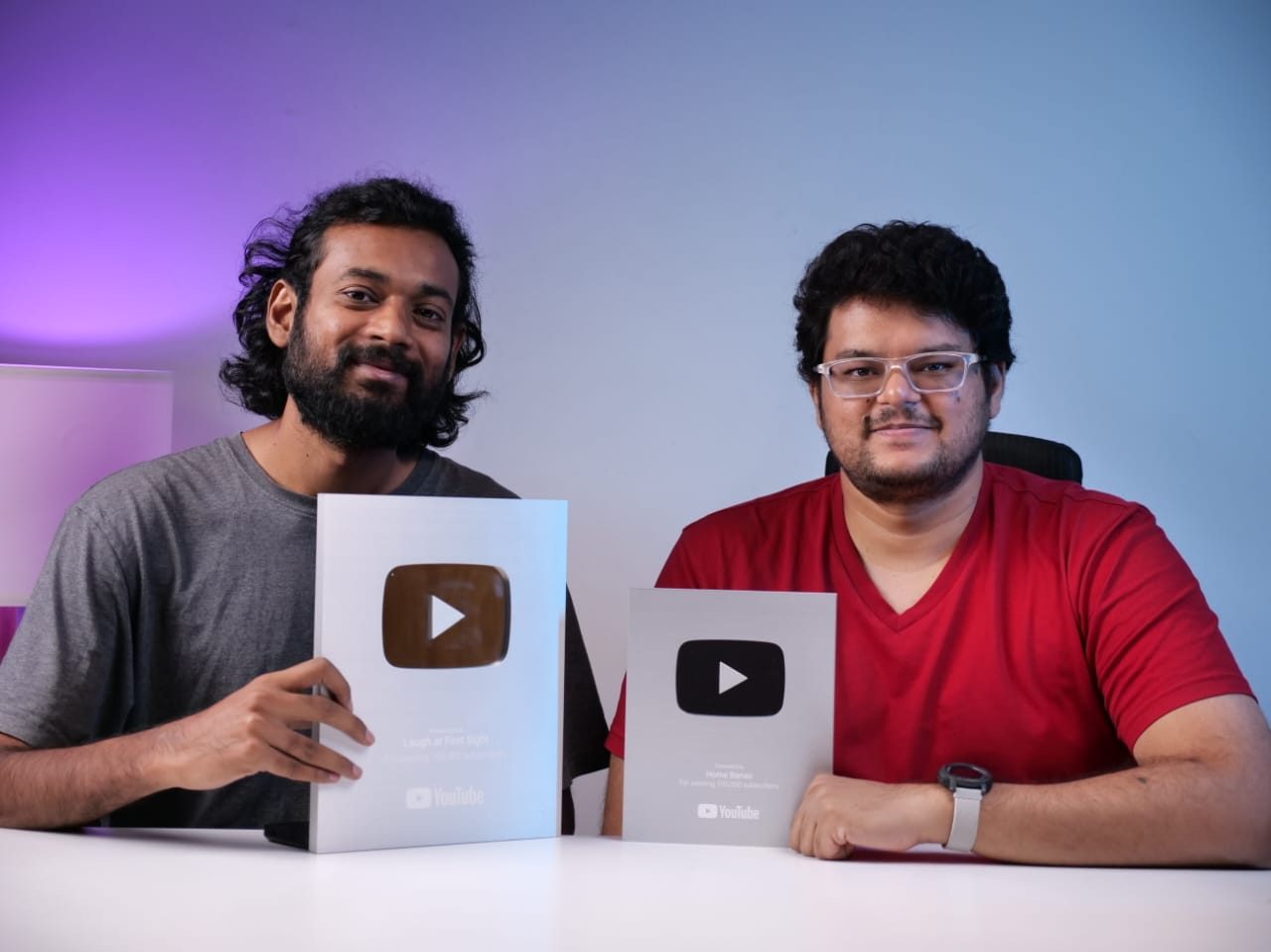
Nikhil Bhansali and Kishore Babu T, co-founders of Onewrk
Nikhil Bhansali and Kishore Babu T, co-founders of Onewrk, Bengaluru.

We teach the workflow we run

We are a senior team in Bengaluru that runs YouTube as an operating function for large organizations, and we have worked with channels including Heartfulness (3.2M+), Pot and Bloom (200K+) and Home Banao (100K+). The frame-anchored workflow in this program is how our own production makes AI video today; it was built to survive model churn because we live with model churn every month.

Our judgement is on display before you commit: we publish live channel teardowns showing how we analyse and rebuild real channels on our public teardown channel, or you can request a teardown of your channel. If the strategy layer needs defining first, start with strategy and consulting; if the team needs a room, studio setup covers it. For where the finished pieces will live, our primer on how the YouTube algorithm works is worth the read.

AI video training, answered

The people who own topics, scripts, visuals and edits: brand and content managers, writers, designers, video editors and whoever runs your channels. It works best as a mixed cohort from one company, because the workflow hands off between exactly those roles. Nobody needs a video background; they need to be the people who will actually publish afterwards.
We work across the current generation of image and video models, including Veo, Kling, Runway and Higgsfield for motion and the leading image models for storyboards, and we choose per shot rather than standardising on one vendor. More important than the tool list is that the workflow is model-agnostic: your boards and anchored frames stay the same, so when a better model ships you rerun the process, you do not relearn it.
Sixteen hours is enough to install one workflow and have your team run it end to end on your own briefs, which is what the program is designed to do. It is not enough to make anyone a filmmaker, and we do not claim it is. Your team leaves with finished pieces made in the sessions, a written playbook, a prompt and frame library and a tool-stack decision, and the days around the sessions are used for setup and a supervised solo run so the habit sets in.
Not before the discovery day. Part of that day is deciding the stack you actually need for the formats you make, so you buy the seats you will use rather than a wishlist. Where a tool has an API, we show your team how to run the same workflow through it, which matters once volume grows.
Done with control, it produces UGC-style social clips, product and campaign shots, explainer b-roll and multi-shot brand sequences that hold up under brand review. It still struggles with legible on-screen text, hands, long continuous action and exact product geometry. We teach your team to recognise those shots early and route them to live footage, 3D or a simpler treatment instead of burning days re-rolling.
The workflow moves approval upstream to the storyboard, so stakeholders sign off on boards before anything is generated. We cover platform disclosure rules for synthetic content, how tool licences treat commercial use and outputs, and how to keep brand assets, likenesses and third-party material out of prompts unless you hold the rights. Your existing approval gate stays where it is; it just gets a better artefact to approve.
Either. Our specialists come into your office for the four sessions, or run them live and remote with your team in one room; the format is set on the discovery call. Engagements are scoped to your team size, formats and markets, so there is no rate card on this page. Book a strategy call and we will send a scoped proposal with the day-by-day outline.

Equip your team for AI video in seven days

Tell us your formats, your team and your calendar. A senior strategist scopes the program with you on one call.

Book a strategy call

Book a strategy call

Tell us about your team and the video you need to make. A senior strategist replies within one business day with a scoped outline — no SDR, no deck.

Prefer to pick a time? Book a call directly.