Podcast Studio Setup: Gear, Room and Real Costs

What a podcast studio needs, model by model and rupee by rupee. From a one-person USB kit to a filmed three-camera room, with our real gear list and prices.

Updated November 2026 · Prices checked 2 November 2026

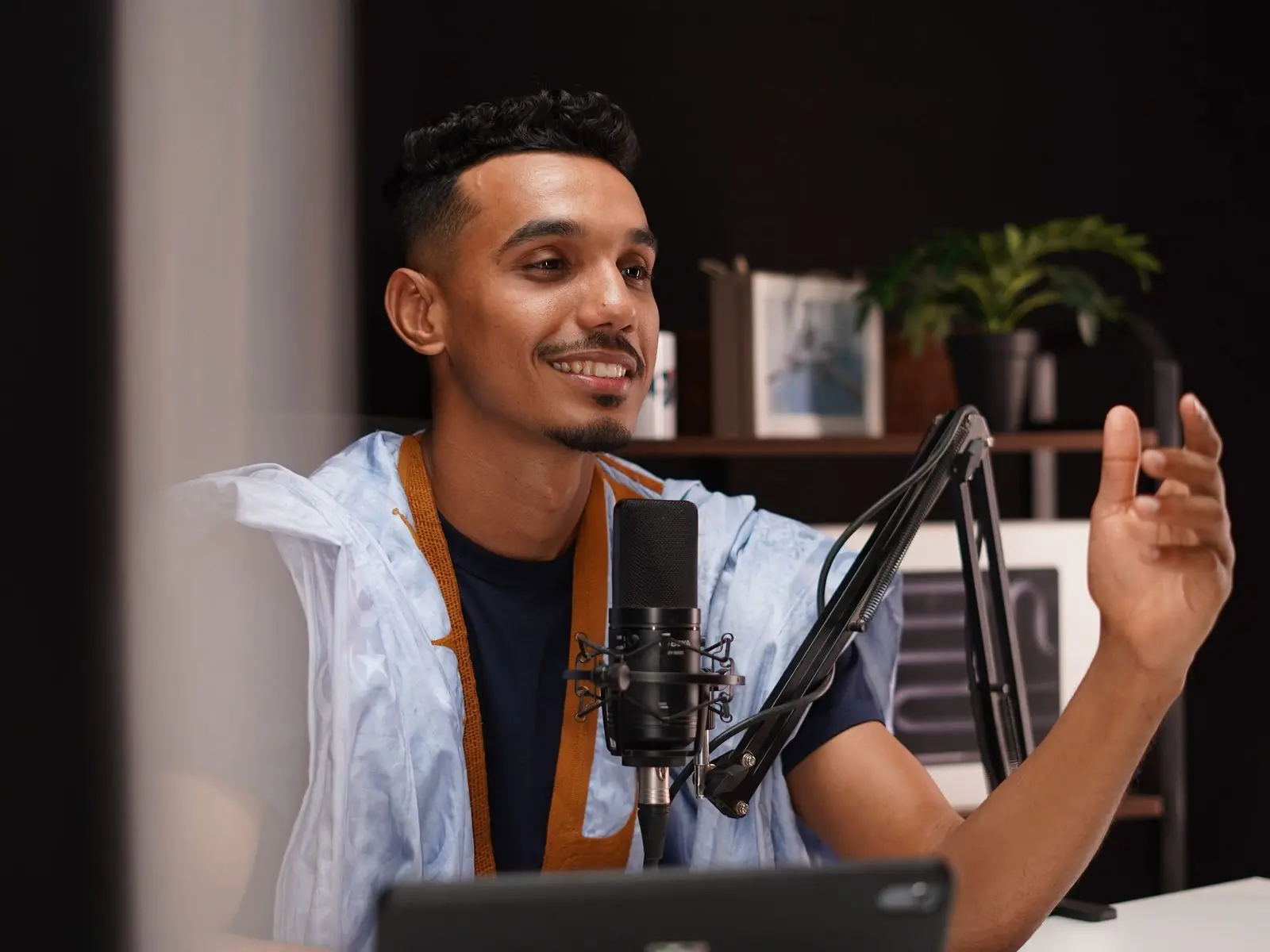
A host recording a podcast at a desk, speaking into a dynamic mic on a boom arm Stock photo

What a podcast studio needs

A podcast studio needs a quiet room with soft surfaces, one dynamic mic per person on a boom arm, headphones for everyone, and a recorder that keeps each voice on its own track. A video podcast adds cameras, silent lights and a UPS. Gear for one person on a USB mic starts at ₹24,770. Two people on XLR mics is about ₹87,644. Four people is about ₹3.64 L. A fitted, treated room with two cameras costs about ₹10.11 L all in. Three cameras plus a spare is about ₹31.47 L.

Kit prices include GST. Our room prices include setup and training, but not GST, freight, wiring or civil work.

What you need, by how many people talk

  • One person: a USB dynamic mic, a boom arm and closed headphones, plugged into a laptop.
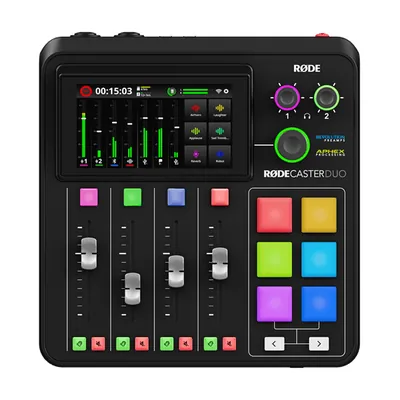
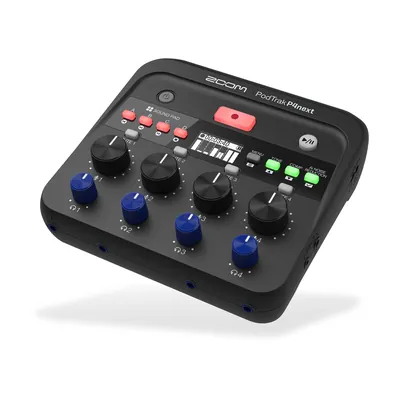
  • Two people: two XLR dynamic mics on arms, two headphones, and a Zoom PodTrak P4next or RØDECaster Duo.
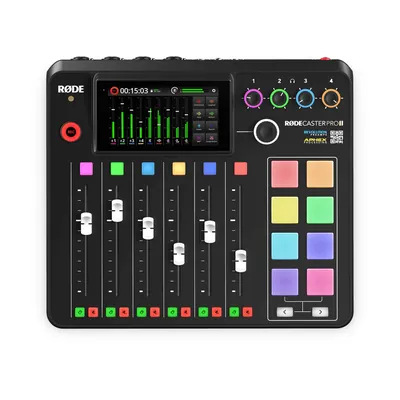
  • Three or four people: one mic each, and a RØDECaster Pro II or Zoom PodTrak P8.
  • Filmed: add two or three cameras, fanless lights, a UPS and two backup drives.

The gear in this guide

Models we name on this page. Links open OneProGear, our own gear store, where each one has its price and stock.

Decide three things before you buy anything

Answer three questions first. They decide the room, the gear and the cost.

1. Audio only, or a video podcast?

Audio needs a quiet room, good mics and a recorder. Video adds cameras, lights, a backdrop and more power. This choice moves the budget most. Audio kits run from about ₹25,000 to ₹3.64 L. Video starts at ₹43,150 with two phones as cameras, and ₹4 L and up with real cameras. If you may want video later, plan the room for it now.

2. How many people at the table?

Count the most people who will ever sit down at once. Each needs their own mic, arm, headphones and recorder input.

3. How often will you record?

Once a quarter? Rent a studio. Every week? Build a room that stays set up. More on renting versus building below.

Podcast room setup: pick the right room

Which office room works

A normal office room works. Pick one away from the lift, the road, the pantry and the server room, with few glass walls. Glass bounces sound the way a mirror bounces light.

Our Essential plan is costed on a 14 × 10 ft room. That fits a table, two people, two cameras and two lights. For another size, try our studio cost calculator.

Small and soft beats big and bare

A big bare room sounds like a hall. The mic hears the echo, and no edit fully removes it. A smaller room with soft things in it sounds closer and cleaner. Our Essential plan uses six four-inch wall panels, a dense rug and door seals. Thin foam tiles mostly catch high, hissy sounds. Thick panels catch much more of the low boom.

Table and seating layout

Seat people close and at an angle, so they can see each other. Use a solid round or small square table, with edge room for one arm clamp per person. Each mic points at its own speaker, with its back to the others. A cardioid mic hears least from behind. Keep each mic about a hand's width from the mouth.

Keep the noise out

Panels stop echo. They do not stop noise coming in. Seal the door and switch the fan off. If the AC is loud, cool the room first, then turn it down or off for the take. A shared wall with a lift or a busy road may need real soundproofing, and that means civil work. Read our guide to soundproofing vs acoustic treatment first.

Podcast mic setup: sound comes first

People will sit through an average picture. They will not sit through bad sound. Spend on sound first.

Dynamic mics, not condensers, in an office room

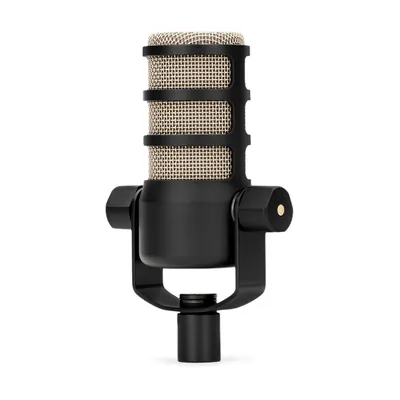
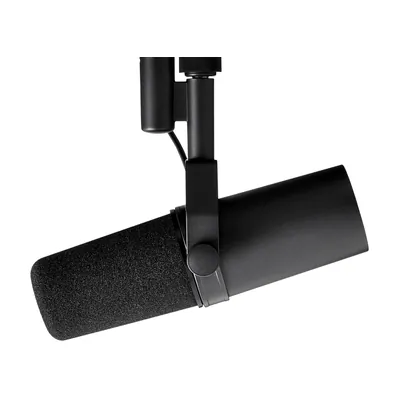
Condenser mics are very sensitive. In an office room they pick up the echo, the AC and the person next to you. Dynamic mics, close to the mouth, hear the speaker and little else. Pick a cardioid dynamic like the RØDE PodMic or the Shure SM7B. Cardioid means it ignores most sound from behind.

One mic per person, each on its own track

Never share a mic. With one mic each on separate tracks, your editor can lower a laugh or cut a cough without touching the other voice. That is how you record a podcast with multiple mics. Our two-person podcast setup guide walks through it.

Boom arms and headphones for everyone

Every mic goes on a boom arm, at mouth height, out of the shot and away from desk knocks. Everyone wears closed-back headphones. People who hear themselves keep a steady distance, and closed-backs do not leak into the mics.

USB or XLR?

A USB mic plugs straight into a laptop. It is the easiest way to record one person. With two or more it gets fiddly, because each USB mic is a separate device. XLR mics plug into one recorder, each voice on its own track. Go USB for one person and XLR from two. The RØDE PodMic USB has both plugs, so you can switch later.

The recorder or console

This box powers the mics, sets levels, feeds the headphones and records. Choose it by head count.

  • RØDECaster Duo: two mic inputs, for a host and one guest.
  • Zoom PodTrak P4next: small, with four XLR inputs. The recorder in our two-person kit.
  • RØDECaster Pro II: four mic inputs, mixing and recording in one box. The console in our Essential plan.
  • Zoom PodTrak P8: a bigger recorder for bigger tables, in our four-person kit.

Whatever you buy, check that it saves each mic on its own track.

A backup recorder

Cards fill up. Cables get kicked. So our Essential plan runs a second recorder, the Zoom F3, at the same time. It records in 32-bit float, so a sudden shout does not distort. If the main file fails, you still have the episode.
Podcast camera setup for a video podcast

How many cameras you need

The simple rule is one wide shot plus one camera per speaker. For two people, that is three cameras. Two cameras also work, one on each person. That is our Essential plan. Our Advanced plan adds the wide shot, so the editor has a cut when both people talk at once. For four people, try a wide shot plus two cameras that each frame two people.

Why we use the Sony FX30

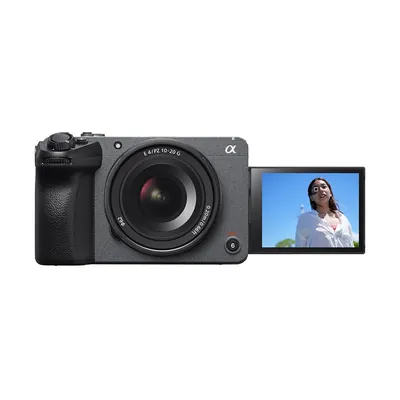
Some cameras built mainly for photos can overheat or stop on long takes. The Sony FX30 is a cinema camera with a cooling fan, so it does not overheat mid-session. We pair it with a Sigma 18–50mm f/2.8 lens, which covers wide and close shots with no lens swap. Run each camera from mains power. Batteries are only the backup.

Lock the framing

Put each camera on a fluid-head video tripod. Frame once, lock it and tape the tripod feet, so every episode looks the same.

Live switching, with every camera recorded on its own

With two cameras, each records to its own card, and the editor lines them up using the sound. With three, it helps to switch live, so you have a rough edit the moment you stop. Pick a switcher that also records each camera as its own file, so the editor can recut later. The Blackmagic ATEM Mini Pro ISO is a compact example. It saves every camera and the live cut to a USB drive. Our Advanced plan includes live switching with a separate recording for each camera. Streaming the show live too? See live streaming studio setup.

Podcast lighting setup

Silent, fanless lights

Many bright LED lights have fans the mics can hear. We use the Godox UL60Bi, a bi-colour light with no fan. You can set it warm or cool to match the room.

Soft light, kept off the wall

A softbox wraps light around the face. Ours is the 70 cm Godox QR-P70T with a grid, a fabric honeycomb that keeps light off the wall behind.

Separate people from the background

Seat people a few feet from the wall and light them brighter than it, or the picture looks flat. In a bigger room, add a light behind each person. Our Advanced plan adds lights for this.

Office tube lights and flicker

Mains power in India runs at 50 Hz. If office lights stay on, film at 25 or 50 frames per second with the shutter at 1/50 or 1/100 to stop most flicker. Better still, switch them off.

Power and storage

A power cut can lose the file being written. Put the cameras, console and recorder on a pure-sine-wave UPS. Ours is 1.5 to 2 kVA, with about ten minutes of backup to stop and save cleanly. Label every plug on surge-protected strips. Keep two copies of every session before anyone wipes a card. Our Essential plan includes two 4 TB drives for this.

Rent a podcast studio or build your own?

Search for a podcast studio in Bangalore and you will mostly find studios to rent by the hour. That is often the right call. Rent when you record now and then, want to test the format, or your guests find a studio easier to reach.

Build when recording becomes weekly. Then rent, travel and setup time add up every session, while your own room stays ready. A simple test: ask a rental studio for their rate, multiply it by a year of sessions, and compare that with a room you will use for years. Then add what renting cannot give you: your own branded set, recording at short notice, and internal talks that stay in the building. Building in Bengaluru? See studio setup in Bangalore.

Podcast setup cost: from a USB kit to a finished room

The whole ladder, cheapest first. Kit rows come from OneProGear, our own gear store. You buy and set them up yourself. The last three rows are rooms we design, fit and hand over.

OptionWho it suitsWhat you getPrice
Podcast kit: BudgetOne person, starting outUSB dynamic mic, boom arm, closed headphones. Plugs into your laptop.₹24,770
Podcast kit: StarterOne person, recording oftenRØDE PodMic USB (USB and XLR), boom arm, closed headphones₹42,575
Podcast kit: BetterTwo people, audio onlyZoom PodTrak P4next recorder, RØDE PodMic mics, arms, headphones, cable, card₹87,644
Podcast kit: ProFour people, audio onlyZoom PodTrak P8 recorder, Shure SM7B mics, arms, headphones, cable, card₹3,64,159
Video podcast kit: BudgetTwo people trying out videoTwo-person wireless mic kit, phone tripod, one light with softbox. You bring two phones as cameras.₹43,150
Video podcast kit: StarterTwo people, two camerasTwo cameras, ATEM Mini Pro ISO switcher, PodTrak P4next, PodMic mics, tripods₹4,18,089
Video podcast kit: BetterTwo people, three anglesThree cameras on fluid-head tripods, ATEM Mini Pro ISO switcher, PodTrak P4next, Shure SM7B mics₹9,07,906
Video podcast kit: ProFour people, three camerasThree PTZ cameras, ATEM Mini Extreme ISO G2 switcher, PodTrak P8, SM7B mics, lights₹12,59,520
Onewrk EssentialA filmed company podcast, two people2 Sony FX30 cameras, RØDECaster Pro II, 2 PodMics, Zoom F3 backup recorder, fanless lights, wall panels, UPS, two backup drives. Fitted, and your team trained.Equipment ₹8.79 L
About ₹10.11 L all in
Onewrk AdvancedA weekly filmed showAdds a third camera, live switching with each camera recorded on its own, more lights, whole-room treatment, backup sound and labelled powerEquipment ₹15.52 L
About ₹17.85 L all in
Onewrk PremiumRooms used several times a weekEverything in Advanced, plus a spare camera, so one failure does not stop the sessionEquipment ₹27.36 L
About ₹31.47 L all in

OneProGear prices include GST and are as listed on 2 November 2026; check the live page. Kits are gear only, with no room treatment or installation. Onewrk prices are from September 2026, usually within 5 to 10 percent, and firm after we see the room. "All in" adds setup (about 10 percent) and training (about 5 percent). GST, freight, wiring, civil work and travel outside Bengaluru are extra.

Why does our two-camera room cost about the same as a three-camera kit?

The kit covers the table. Our plans cover the room: cameras that will not overheat, a backup recorder, treatment, a UPS, storage, fitting and training. If your room is quiet and someone on your team is technical, a kit may be enough. See every part on our plans and prices page, or price your room.

Two ways to get your podcast studio

Do it yourself

Buy the kit, set it up yourself

OneProGear is our own gear store. Kits are genuine, new and sealed, with the maker's India warranty and a GST invoice. Swap any item and download a quotation. Dispatch takes 14 to 21 working days.

The free Studio Planner turns your room size and seating into a layout and gear list.

Done for you

We design, fit and train

We look at the room, plan it and give a firm price. We buy the gear on one bill, or you buy from our list. Then we fit, wire, label, test and train your team.

Four to six weeks from order to handover. Longer if parts are slow, or if wiring or civil work comes first. Tell us about your room.

Who builds it

Onewrk is two partners in Bengaluru. Kishore T builds and fits the studios. Nikhil Bhansali handles strategy, audits, consulting and training. No account managers. We publish our gear lists and prices. See our studio setup page.

We install across India from Bengaluru. For the US, UK and Australia, we consult remotely, with a local gear list, diagrams and live calls while you set up. Already recording? Ask for a free private channel review.

More studio guides

Podcast studio setup questions

A one-person USB kit starts at ₹24,770, and a four-person audio kit is about ₹3.64 lakh, with GST. A fitted, treated room with two cameras is about ₹10.11 lakh all in. Three cameras plus a spare is about ₹31.47 lakh. Room prices exclude GST, freight, wiring and civil work.
One dynamic mic per person on a boom arm, closed headphones for everyone, and a recorder that saves each mic on its own track. For video, add cameras, fanless lights and a UPS. A quiet, treated room matters as much as the gear.
One wide shot plus one camera per speaker, so three cameras for two people. Two cameras, one on each person, also work and cost less.
Give each person their own mic, all plugged into one recorder that saves each mic on its own track, such as a RØDECaster or Zoom PodTrak. Point each mic at its speaker and give everyone headphones.
Rent if you record now and then, or want to test the format. Build once recording is weekly. Compare a year of rent with the cost of a room you will use for years.
Yes. Pick a room away from the lift, the road and the pantry, with few glass walls. Add thick wall panels, a rug and door seals, and use dynamic mics close to the mouth.
Four to six weeks from order to handover. It takes longer if parts are slow, or if wiring or civil work must happen first.

Ready to plan your podcast studio?

Send us your room size, head count, and audio or video. We will come back with a plan and a price range.

Plan my podcast studio

Tell us about your podcast room

Send us the room size, how many people sit at the table, and whether you want audio only or video. We reply in one working day. No sales deck.

Prefer to pick a time? Book a call directly.