Green Screen Studio Setup: Space, Lighting and Cost

Put slides, a virtual set or a news desk behind your presenter. It only works if the room is deep enough and the light is right. Here is how to plan one, what it costs in India, and when a real set is better.

Updated November 2026 · Prices checked 2 November 2026

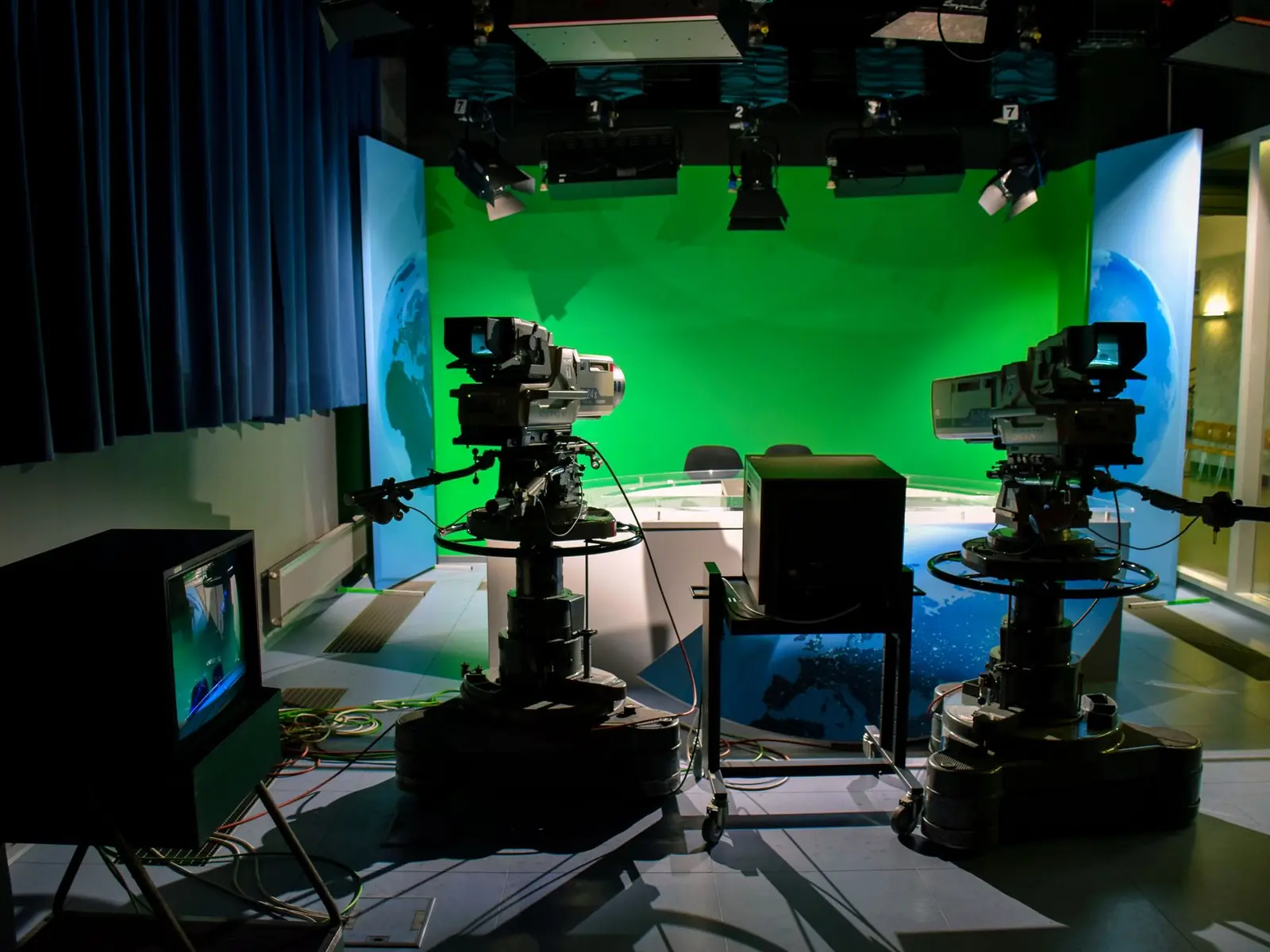
A television studio with two studio cameras in front of a green screen wall Stock photo

What a green screen studio needs

A green screen studio needs four things. Depth, so the presenter can stand several feet in front of the screen. A screen lit on its own, evenly, with no hot spots or wrinkles. A presenter lit on their own, with a light behind them to cut their edges clean. And a camera that records good colour, so the green comes away cleanly.

The screen is the cheap part. The lights and the space are the real cost. A room we fit follows our studio plans: equipment from ₹8.79 lakh for two cameras, or about ₹10.11 lakh all in with setup and training. The chroma wall and screen lights are priced after we see your room.

Should you use a green screen at all?

Ask this first. A real set often looks better. A bookshelf, a plant and some depth behind the presenter look natural on camera. There is nothing to key and nothing to fix in the edit. For a weekly show with one look, a real set is usually the better buy.

A green screen wins when the background has to change. Pick it when:

  • You need slides or charts behind the presenter, as in e-learning.
  • You want a virtual set or a news-style desk show.
  • Many presenters or brands share one room and need their own look.
  • You film weather-style explainers in front of a map or chart.

A chroma studio is a bigger job than it looks. It needs more space and more lights, and someone has to key every video.

If none of these fit, read our YouTube studio setup guide. Teaching online? See our online teaching studio setup page.

The gear in this guide

Models we name on this page. Links open OneProGear, our own gear store, where each one has its price and stock.

How much space a green screen studio needs

Most green screen rooms go wrong on space. People hang a screen on the back wall of a small room and stand right in front of it.

Leave a gap between the presenter and the screen

Green light bounces off the screen onto the presenter. This is called spill. It shows as a green fringe around hair and shoulders. The fix is distance. The further the presenter stands from the screen, the less spill reaches them, and their shadow stays off the screen.

How far? Several feet. More is better. A common rule of thumb is six to ten feet. We plan the gap in the room drawing before anything is bought. Distance also lets the screen fall a little out of focus, which hides creases.

Make the screen wider than your widest shot

The screen must fill the frame behind the presenter in every shot. If your wide shot shows wall at the edge, the key fails there. Plan the widest shot first, then size the screen.

Moving the camera back and zooming in also helps: a longer lens shows less background, so a smaller screen fills the frame. It does need more room depth.

Count the room depth

Add it up from the back wall: the screen, the gap, the presenter, the camera distance, and space behind the camera for the operator. Six feet behind the presenter and eight feet to the camera already needs fourteen feet.

The screen lights stand at the sides, so the room must be wider than the screen too. In a shallow room, keep shots seated and waist-up, or choose a real set.

The floor: fabric, chroma paint or a cyc wall

Waist-up shots can ignore the floor. If you show feet, the green has to run under them. You have three choices.

  • Fabric. Cheap and easy to take down. But every wrinkle is a darker patch, so stretch it tight on a frame. Good for seated shots and tests.
  • A painted wall. Chroma-key paint on a smooth wall is flat and permanent, with no wrinkles. It scuffs, so keep a tin for touch-ups. Paint on a floor wears fast.
  • A cyc wall. It curves where the wall meets the floor, so no corner shadow shows as a dark line. It costs the most and needs civil work, but suits full-body shots and presenters who walk around.

Paint and cyc work are civil work. They sit outside our equipment prices, on their own line in the quote.
Green screen lighting: two separate jobs

Most bad keys are lighting problems, not software problems. Think of it as two jobs: light the screen, light the person, and keep the two apart.

Job one: light the screen evenly

The keyer looks for one shade of green. Every hot spot, dark corner or wrinkle is a different shade, and it leaves a patch or eats into the presenter's edges. So light the screen softly, edge to edge.

  • Use soft sources: LED panels, or lights through large softboxes. Bare, hard lights make hot spots.
  • Place the lights at the sides or above, aimed across the screen, so no single spot gets too bright.
  • Check it with zebras or a waveform. You want one flat level across the whole screen.
  • Do not over-light it. Even matters more than bright. A brighter screen throws more green onto the presenter.

Job two: light the presenter on their own

Light the presenter like a good interview, with three lights:

  • Key light. The main, soft light on the face, set to one side of the camera.
  • Fill light. A weaker light on the other side, so shadows are not too deep.
  • Back light, or rim light. Behind the presenter, aimed at hair and shoulders. It draws a bright edge against the green and helps hide spill. Skip it and hair turns into a fuzzy green mess.

Keep the presenter's light off the screen

The key and fill must not land on the screen, or they make bright patches and shadows. A softbox with a grid helps. The Godox QR-P70T softbox with grid in our rooms keeps light on the person and off the wall behind. (Gear links on this page go to OneProGear, our own gear store.) Distance helps here too.

Dress for the key

  • No green clothes. Anything green disappears, including prints, logos and ties.
  • Avoid shiny jewellery, sequins and glossy fabric. They reflect the green.
  • Shiny glasses can reflect the screen. Tilt the head slightly or use anti-glare lenses.
  • Fly-away hair is the hardest thing to key. A good rim light helps most.

Use lights with no fans

A green screen room runs more lights than most, and the mic hears every fan. We use fanless lights like the Godox UL60Bi, which make no noise on the recording.

Camera and recording settings for a clean key

Record as much colour as you can

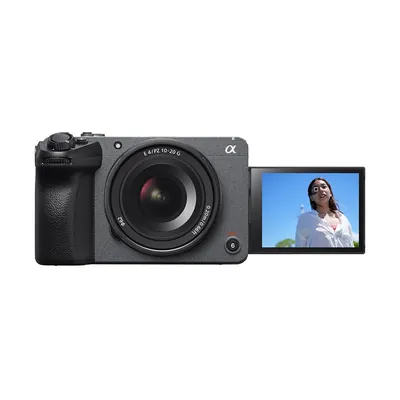
The keyer works on colour, so the more colour detail the camera keeps, the cleaner the edge. Many cameras throw some away to save space. 10-bit 4:2:2 recording keeps more of it. The Sony FX30, the camera in our studio plans, records 10-bit 4:2:2 inside the camera. Whatever you use, pick a high-quality recording setting.

Sharp focus and a sensible shutter

Soft edges blend into the green and are hard to cut. Keep the presenter in sharp focus. Fast hand movement causes motion blur, and blur is half hand, half green. For most talking, a shutter of 1/50 is fine. If the presenter moves a lot, 1/100 gives crisper edges and is still safe on Indian mains power.

Mains flicker: India is 50 Hz

Mains power in India runs at 50 Hz. Some lights pulse with it, too fast to see, but the camera catches it as flicker or rolling bands. On a green screen, that makes the key shimmer.

So shoot at 25 frames per second with a 1/50 shutter, or 50 with 1/100. Many online tutorials use 30 or 60 frames per second. Those come from countries with 60 Hz power and can flicker here.

Lock your settings and keep the camera still

Set exposure, white balance and focus by hand, and lock them, or the screen shade drifts as the presenter moves. Keep the camera still on a tripod. A flat background does not move when the camera pans or zooms, so the trick shows. Moving-camera virtual sets need camera tracking, a much bigger build most company studios do not need.

Key it live, or key it in the edit

Keying is where software removes the green and puts your background in. You can do it live or in the edit.

Live keying with a switcher

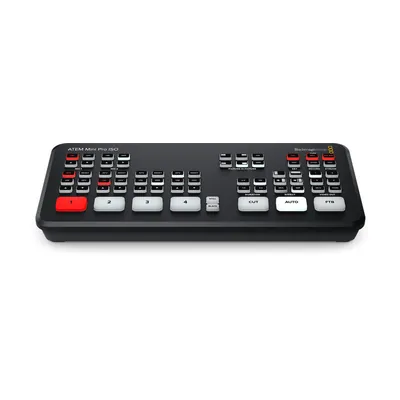
For live shows, webinars and live classes, a switcher keys on the spot. Switchers in the Blackmagic ATEM Mini range have a chroma keyer built in. Plug in the camera and a laptop with your slides or virtual set, and the switcher puts the presenter in front. The ATEM Mini Pro ISO also records each camera clean, so you can redo a weak live key in the edit. Building for live shows? Read our live streaming studio setup guide too.

Keying in the edit

Keying later in DaVinci Resolve or Adobe Premiere Pro gives you more control over edges and spill. It takes editing time on every video, so count that in. Good light makes this quick. Bad light makes it slow, every time.

Green screen or blue screen?

Green is the default. It is bright, so it needs less light to look even. Most camera sensors also have twice as many green-sensing pixels as red or blue ones, so green records more cleanly. Pick blue if the presenter wears green or holds green props, or if green spill is hard to control. Blue spills less but needs more light.

Picking your green screen studio background

The background is a design job. Match its light to the presenter: if the background has a window on the left, light the presenter from the left. Match the camera height to the background's horizon, so the presenter does not float.

A news studio green screen setup needs a desk, a fixed camera angle and graphics that leave room for the presenter. For e-learning, keep one side of the frame clear for slides and stand the presenter on the other side.

What a green screen studio costs in India

Here is the ladder, from a screen you put up yourself to a room we build and hand over.

OptionWho it suitsWhat you getPrice
Backdrops and green screens (OneProGear) Testing the idea with one seated presenter Pull-up and fabric screens, a blue screen option, backdrops and background supports See the live page
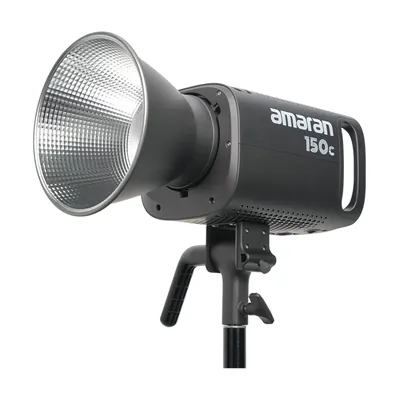
LED lights (OneProGear) Anyone whose screen looks patchy on camera Soft panels and COB lights for the screen and the presenter See the live page
YouTube talking-head kits (OneProGear) One presenter at a desk Desk gear for one person, in four tiers. Add a screen. ₹26,075 (Budget) to ₹6,73,093 (Pro), plus the screen
Video switchers (OneProGear) Live shows, webinars and live classes Switchers such as the ATEM Mini Pro ISO, with a chroma keyer built in See the live page
Onewrk Essential with a chroma wall A company room for one or two presenters Two Sony FX30 cameras, sound, fanless lights, panels and UPS. We add the chroma wall and screen lights. Equipment ₹8.79 L, about ₹10.11 L all in. Chroma wall and screen lights quoted after a visit.
Onewrk Advanced with a chroma wall News-style and multi-camera shows Three cameras, each recorded on its own, live switching and more lights. A switcher with a chroma keyer if you key live. Equipment ₹15.52 L, about ₹17.85 L all in. Chroma wall and screen lights quoted after a visit.

Onewrk prices are from September 2026, usually right within 5 to 10 percent; the firm price comes after we see the room. All in adds setup (about 10 percent) and training (about 5 percent). Not included: GST, freight, wiring, electrical and civil work (paint or a cyc wall), and travel and stay outside Bengaluru. The Premium plan (equipment ₹27.36 L) adds a spare camera. Compare all three on the plans and prices page, or use the studio cost calculator. OneProGear prices include GST and are as listed on 2 November 2026; check the live page.

Build it yourself, or have us build it

Do it yourself

Buy the kit, set it up yourself

OneProGear is our own gear store. Everything is genuine, new and sealed, with the maker's India warranty and a GST invoice. The free Studio Planner turns your room size and the people on camera into a layout and a gear list.

Items are dispatched in 14 to 21 working days. Use this page as your guide: gap first, then screen light, then presenter light.

Done for you

We design, fit and train

We visit and measure the room, and draw where the screen, presenter, camera and lights go. Then we fit and tune it, test the key on camera, train your team and leave a written checklist.

Tell us about your room or see the three plans.

Two partners, no account managers

Onewrk is two partners in Bengaluru. Kishore T builds and fits the studios. Nikhil Bhansali handles strategy, audits, consulting and training. No account managers. We publish our gear lists and prices, so you can check our thinking before you call.

We install across India from Bengaluru. For the US, UK and Australia, we plan the room by video call and join live calls while you set it up. Read how we design and build studios. Already filming? Ask for a free private review of your channel.

Green screen studio questions

You need depth for four things in a line: the screen, a gap of several feet, the presenter, and the camera. Add width beyond the screen for the side lights. In a shallow room, keep shots seated and waist-up. Full-body shots need the most space and a green floor.
Several feet. More is better. A common rule of thumb is six to ten feet. Distance cuts green spill on your hair and keeps your shadow off the screen.
Light the screen on its own with soft, broad lights aimed across it from the sides or above. Check it with zebras or a waveform until it is one flat level. Do not over-light it. Light the presenter separately, and keep their light off the screen.
Green for most rooms. It is brighter, needs less light, and most camera sensors record it more cleanly. Choose blue if the presenter wears green or uses green props, or if green spill is hard to control. Blue needs more light to look even.
Yes. Switchers in the Blackmagic ATEM Mini range have a chroma keyer built in. The ATEM Mini Pro ISO also records each camera clean, so you can redo the key in the edit. For recorded videos, keying in DaVinci Resolve or Premiere Pro gives more control.
Fabric is cheap and easy to move, but it wrinkles, so stretch it tight. Chroma-key paint on a smooth wall is flat, permanent and easy to touch up. A cyc wall curves into the floor with no corner line. It suits full-body shots but costs the most.
The screen is cheaper. The whole room often is not. A green screen needs more space, more lights and keying time on every video. A real set with depth often looks better and needs no keying. Pick green screen when the background has to change.

Planning a green screen room?

Send us the room size and what you want behind your presenter. We will tell you if green screen is the right call, and what it will cost.

Plan my green screen room

Tell us about your green screen room

Send the room size and what you want to film in front of the screen. We reply in one working day. No sales deck.

Prefer to pick a time? Book a call directly.