How to set up a room for a business YouTube channel: what to buy, where it goes and what it costs in India. Every model and price named. Then, if you want, we build it.
Updated November 2026 · Prices checked 2 November 2026
Stock photo
A YouTube studio setup in India costs from ₹26,075 to about ₹31.47 lakh. ₹26,075 buys a light, softbox, stands, tripod and wireless mic, and you bring your own camera or phone. Ready one-person kits with a camera cost ₹1,50,524 to ₹6,73,093. A room we design and fit costs about ₹10.11 lakh all in for two cameras, and about ₹31.47 lakh for three cameras plus a spare.
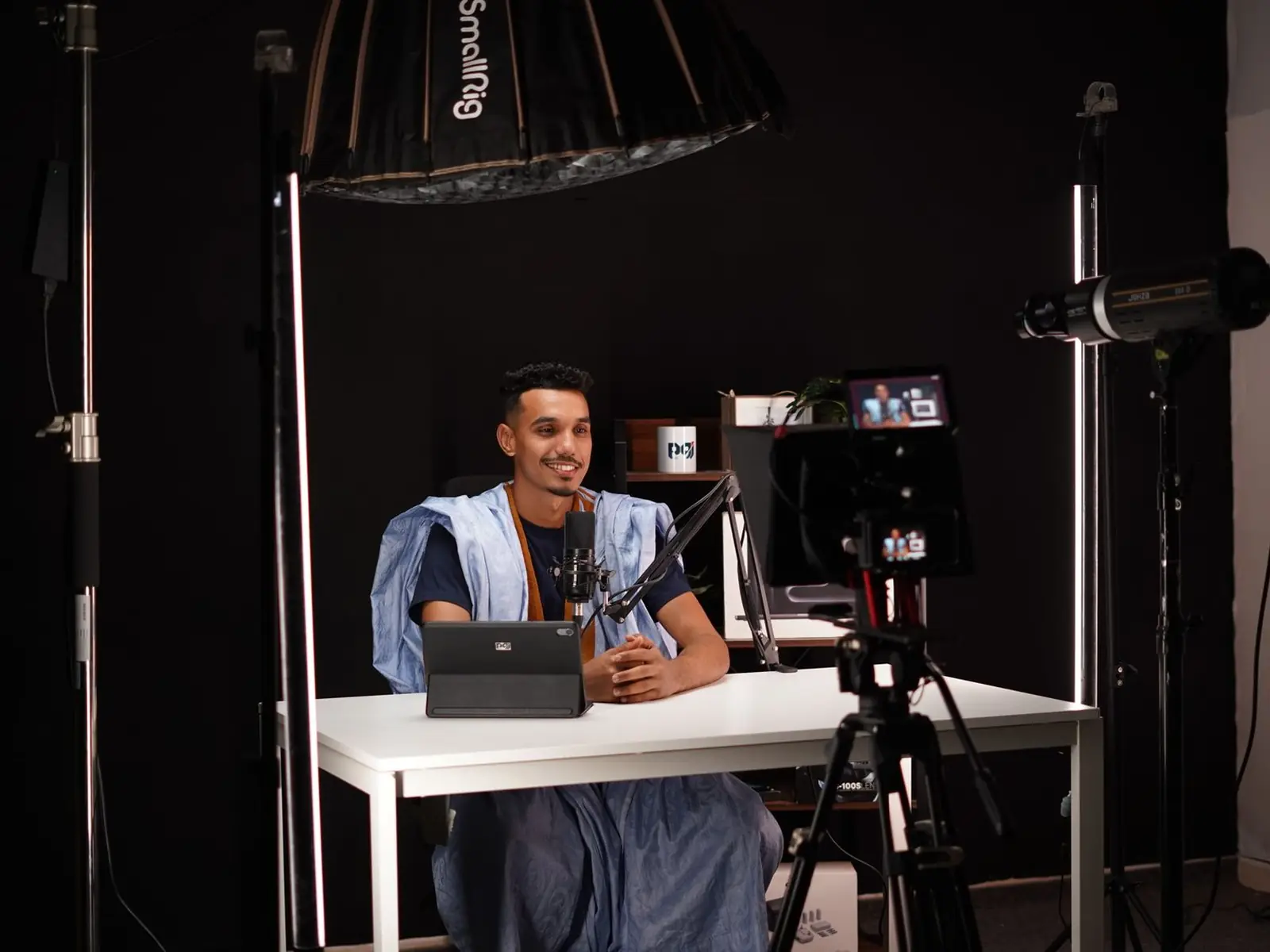
Every YouTube studio needs four things: a camera you can leave set up, a key light plus a fill, a background with depth, and a mic close to the mouth but out of frame.
Kit prices include GST. Our room prices exclude GST, freight, wiring and civil work.
Don't start with the camera. Start with the kind of video. Pick your main format, then buy for that.
One person looking into one camera: explainers, tutorials, weekly updates. The smallest room and the least gear: one camera, a key and a fill, a mic on an arm or a clip-on, and a background a metre or two behind you.
Two or three cameras: a wide shot plus one on each face. A mic for each person, and a room wide enough for both to sit well away from the wall. Our two-camera Essential room is built for this. For a weekly show, read our podcast studio setup guide too.
Product and software demos. Add a second camera looking down at the desk, and soft light from above so products show no glare. Use a matte desk top. For software, record the screen and keep the face small.
The shot is wider, so the background must fill more of the frame and the lights go higher. Use a wireless clip-on mic, and a teleprompter if the talk is scripted. For slides or a virtual set behind you, see green screen studio setup.
Filming at home instead? Same ideas, different room and budget. See our home studio setup guide.
Models we name on this page. Links open OneProGear, our own gear store, where each one has its price and stock.
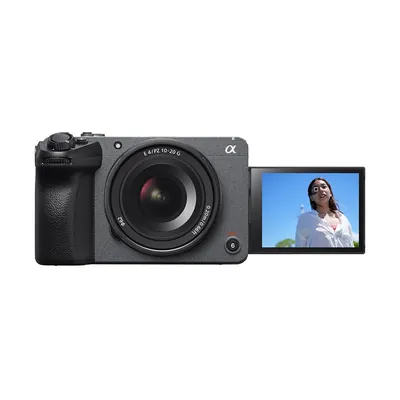
Sony FX30Cinema camera with a fanOn OneProGear ↗
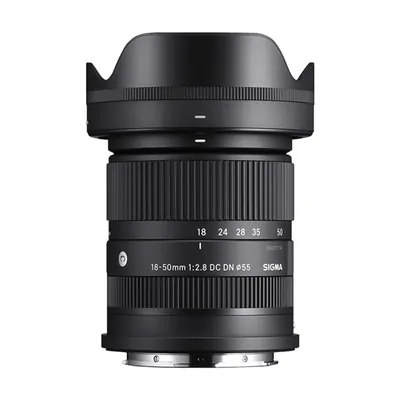
Sigma 18–50mm f/2.8One lens, wide to closeOn OneProGear ↗
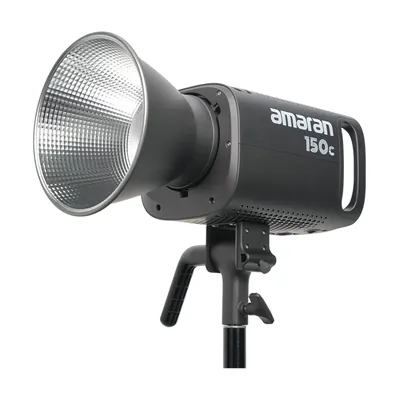
amaran 150cColour LED lightOn OneProGear ↗
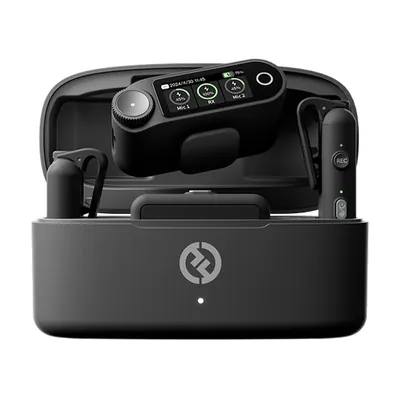
Hollyland Lark Max 2Wireless mic kitOn OneProGear ↗
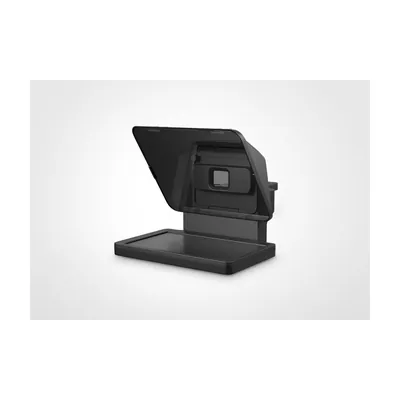
Elgato PrompterTeleprompter for a deskOn OneProGear ↗
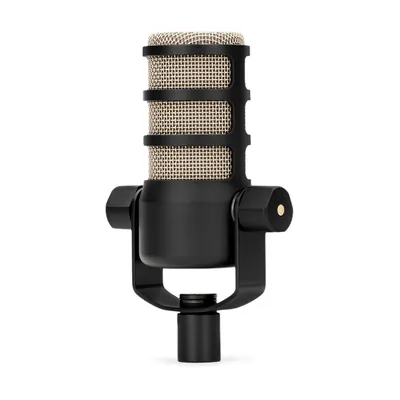
RØDE PodMicDynamic mic for speechOn OneProGear ↗
If you must set it up each time, you will film less. Pick one that runs off wall power and does not overheat.
One soft main light to one side, one dimmer light on the other. That makes a face look solid, not flat. Ceiling lights never do it.
Sit away from the wall. Add a lamp, a shelf, a plant. A flat wall right behind you looks like a passport photo.
A mic on the camera is too far away and hears the whole room. Keep it close to the mouth and just out of the shot.
Good light makes a cheap camera look expensive. A full setup has four lights. Start with the first two.
One soft light about 45 degrees to one side of the camera, a little above eye level, pointing down. The soft shadow it leaves beside the nose makes a face look solid. A ring light on the camera lights the face straight on and leaves it flat.
A second, dimmer light on the other side, a little lower. It lifts the shadow without wiping it out. A white reflector works on a tight budget, but a light is easier to repeat.
A small light behind the person, up high, on the side away from the key. It draws a bright edge on the hair and shoulders, so dark hair does not melt into a dark wall.
A soft wash on the wall or a glow on a shelf. Keep the background a little darker than the face. The face should be the brightest thing in the frame.
For a step-by-step, read this talking-head lighting guide from OneProGear, our own gear store.
Mains power in India runs at 50 Hz. Many tube lights and cheap LED bulbs pulse in time with it, too fast for your eye but not for a camera. At 30 or 60 frames a second, the pulses show up as flicker or rolling bands. Shoot at 25 fps with a 1/50 shutter, or 50 fps with 1/100. YouTube plays both. Better still, switch the room lights off and use video lights.
A background does not need to cost much. It needs depth.
Sit a metre or two in front of the wall. Your shadow falls on the floor, not the wall, and the background goes a little soft. A plain white wall right behind you shows every shadow.
A practical is a lamp that shows in the shot, like a warm table lamp or a light on a shelf. Test the bulb on camera, as some cheap LED bulbs flicker. Add books, a plant or your product, but keep it sparse.
Use your brand colour in a cushion, a panel or a coloured light on the wall. A big logo behind you looks like an advert. Your logo is already on your channel.
A green screen lets you swap the background in the edit. It needs more room and more light, and it adds edit time to every video. Read green screen studio setup first.
Any camera can look good in the right light. The real question is which one you can leave set up and trust for a long take.
| Camera | Good for | Watch out for |
|---|---|---|
| Phone | Shorts, quick updates, starting out | Heats up, fills up, rings mid-take. Hard to leave set up. |
| Webcam | Live calls, streams, screen tutorials | Small sensor. Looks flat and grainy without good light. |
| Mirrorless camera | Most one-person desk channels | Some models get hot in long 4K takes. |
| Cinema camera | Long takes, two or more cameras, weekly filming | Costs more. Someone must learn the settings. |
Our rooms use the Sony FX30, a small cinema camera with a built-in fan. Some cameras without a fan get hot in long 4K takes and stop recording. The FX30 keeps going. We pair it with the Sigma 18–50mm f/2.8: one lens for the wide shot and the close shot, so nobody swaps lenses mid-session.
Run the camera off wall power through a proper USB-C adapter, with batteries only as backup. Add a UPS, because a power cut can cost you the take. Our rooms use a 1.5–2 kVA pure-sine-wave UPS with about ten minutes of backup. Use a fluid-head tripod and tape-mark its feet, so every session gets the same shot.
Reading a script off a laptop shows, because the eyes slide sideways. A teleprompter puts the script on glass in front of the lens, so you read while looking into it. The Elgato Prompter suits a desk setup. Write the script the way you speak.
A mic on top of the camera is too far from your mouth. It hears the room, the AC and the traffic. Move it closer, then fix the room.
If the presenter walks or handles products, use a wireless clip-on system such as the Hollyland Lark Max 2.
Hard walls and a bare floor echo. Four-inch wall panels (not thin foam), a dense rug and door seals fix most office rooms. That is treatment. Soundproofing, which keeps outside noise out, is a bigger job. Read soundproofing vs acoustic treatment to see which you need. Then switch off the AC and fan for each take. Our Essential room also runs a Zoom F3 32-bit-float backup recorder, so a sudden loud laugh still records clean.
The whole ladder, cheapest first. The first eight rows are equipment-only kits from OneProGear, our own gear store, and you set them up. The last three are rooms we design, fit and hand over.
| Option | Who it suits | What you get | Price |
|---|---|---|---|
| Talking-head kit, Budget | You have a camera or good phone | COB light, softbox, stands, tripod, wireless mic | ₹26,075 |
| Interview kit, Budget | Sit-down interviews on your camera | COB key with softbox, small RGB background light, wireless mic, tripod | ₹33,860 |
| Talking-head kit, Starter | A first proper camera for a desk channel | Canon EOS R50, COB light with softbox, on-camera mic, video tripod, reflector | ₹1,50,524 |
| Interview kit, Starter | One chair, one soft key | Canon EOS R50 V, COB light with softbox, compact wireless mic, tripod, headphones | ₹1,75,910 |
| Interview kit, Better | Interviews with a clip-on mic | Canon EOS R8, wireless lavalier, key light with softbox, accent light, 5-inch monitor | ₹3,44,920 |
| Talking-head kit, Better | A weekly desk channel | Canon EOS R8, larger COB key in an 85 cm softbox, second light, stands | ₹3,72,864 |
| Talking-head kit, Pro | A high-end one-camera desk set | Canon EOS R6 Mark III, amaran 300c key on a boom, shotgun and wireless mics, fluid-head tripod | ₹6,73,093 |
| Interview kit, Pro | Two chairs, a live cut, scripted lines | Canon EOS R6 Mark III, ATEM Mini Pro ISO switcher, teleprompter, wireless mics, amaran 300c key | ₹8,86,683 |
| Onewrk Essential | Company talking heads and two-person interviews | 2 Sony FX30 with Sigma 18–50, RØDECaster Pro II, 2 PodMics, Zoom F3, 2 fanless Godox lights, panels, UPS, drives. Fitted, team trained. | About ₹10.11 L all in (equipment ₹8.79 L) |
| Onewrk Advanced | Rooms that cut between three angles | A third FX30, live switching with each camera recording on its own, more lights, full-room treatment | About ₹17.85 L all in (equipment ₹15.52 L) |
| Onewrk Premium | Rooms used many times a week | Advanced plus a spare camera, better screens, more storage | About ₹31.47 L all in (equipment ₹27.36 L) |
OneProGear prices include GST and are as listed on 2 November 2026; check the live page. Flat ₹379 shipping. Kits exclude sound panels, fitting and training. Onewrk prices are from September 2026, usually right within 5 to 10 percent, and include setup (about 10 percent) and training (about 5 percent). They exclude GST, freight, wiring, civil work and travel outside Bengaluru. Essential is costed on a 14 × 10 ft room; we give a firm price after we see yours. Or use the studio cost calculator.
A good room makes videos easy to film. It does not tell you what to film. That is a separate question.
Not sure yet? Start free with our channel scorecard, or ask us for a free private channel review. For a written plan, there is the channel audit. To talk it through, book paid time with Nikhil at ₹25,000 an hour plus GST.
OneProGear is our own gear store. It sells the kits above: genuine, sealed gear with the maker's India warranty and a GST invoice, dispatched in 14 to 21 working days. Swap any item and download a quotation.
The free Studio Planner turns your room size into a layout and a gear list. Best for one person at a desk.
We check the room and plan where every camera, light and panel goes. We buy the gear or hand you the list. Then we fit it, test it and train your team. Order to handover takes four to six weeks.
On site across India from Bengaluru; remote consultation for the US, UK and Australia. Tell us about your room or see the three plans.
Onewrk is two partners in Bengaluru. Kishore T builds and fits the studios. Nikhil Bhansali handles strategy, audits, consulting and training. We publish our gear lists and prices, and we own and run our own YouTube channels. See how we plan rooms on our studio setup page.
Tell us the room size and what you want to film. We will suggest a plan and tell you what it costs.
Plan my YouTube studioSend us your room size and the videos you plan to make. We reply in one working day. No sales deck.
Prefer to pick a time? Book a call directly.