Online Teaching Studio Setup: Gear, Room and Cost

What to buy for each way of teaching, what it costs in India, and how an institute runs many recording rooms. One teacher can buy a kit. For an institute, we design the rooms, fit them and train your teachers.

Updated November 2026 · Prices checked 2 November 2026

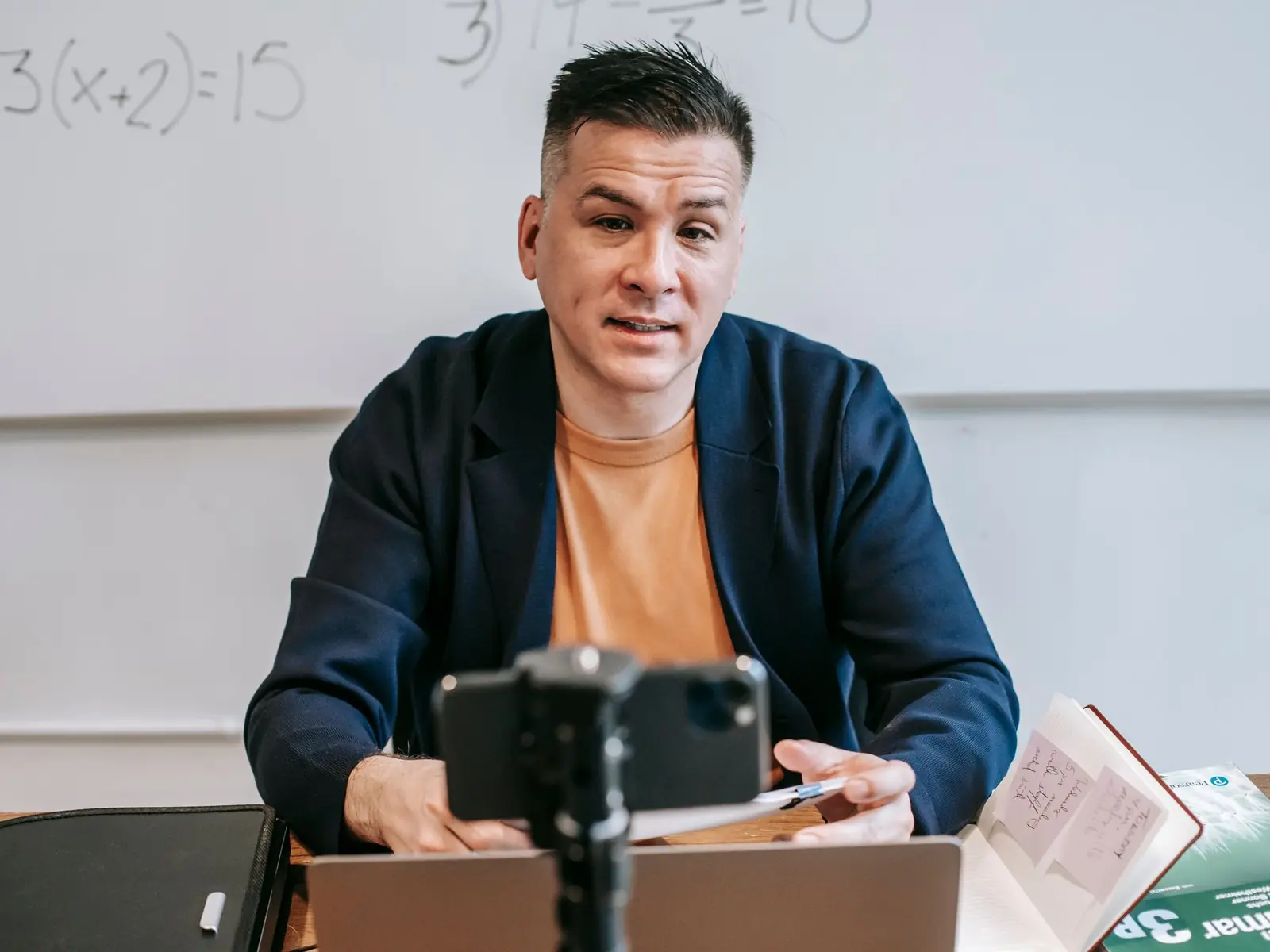
A teacher at a desk filming a lesson on a phone mounted on a tripod, with a whiteboard behind Stock photo

Online teaching setup: the short answer

An online teaching studio setup in India starts at ₹22,885 for a ready one-teacher kit: a face webcam, a desk mic, a light and a desk arm that holds your phone as an overhead camera. A classroom lecture capture kit with an auto-tracking PTZ camera costs ₹2,63,514 to ₹4,44,203. A two-camera studio for an institute costs about ₹10.11 lakh all in, with design, fitting and teacher training. Three cameras is about ₹17.85 lakh. GST, freight and wiring are extra on the studios. Pick the way you teach first, then fix the sound before you upgrade the camera.

If you teach alone from home, buy a kit; this guide shows what to buy. If you run a coaching institute, an edtech company, a college or a company training team, you need rooms any teacher can walk into and use. That is the part we build.

The gear in this guide

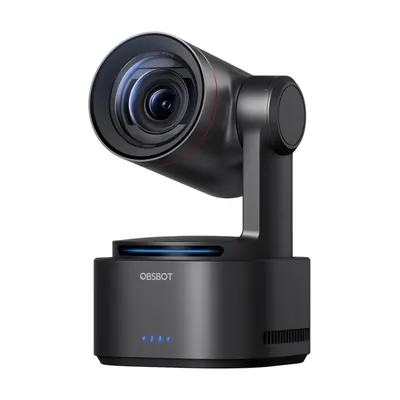
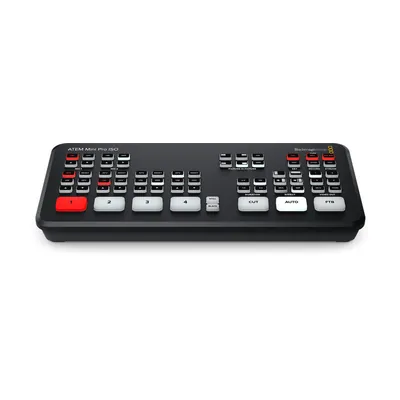
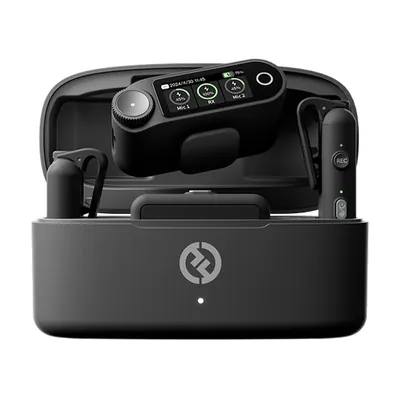
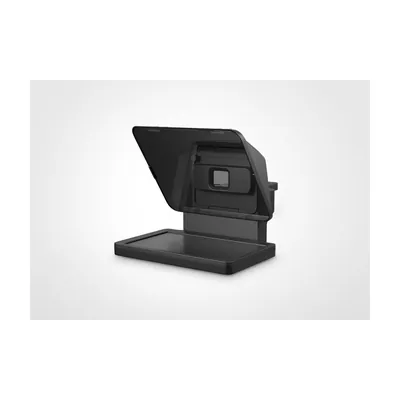
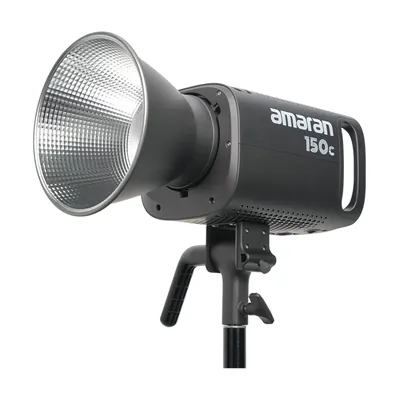
Models we name on this page. Links open OneProGear, our own gear store, where each one has its price and stock.

Pick your teaching format first

Ask how you teach before you ask which camera to buy. Each format needs different gear.

FormatCore gearStart with
Teacher on camera with slides: lectures, most subjectsCamera at eye level, close mic, soft lightOnline teaching kit
Writing on a pen display or tablet: maths, physics, accountsPen display or tablet, face cam, micYour tablet plus a teaching kit
Overhead camera for hands: diagrams, craftsWebcam or phone on an overhead arm, light from both sidesAny teaching kit
Green screen with slides behind youGreen backdrop, its own lights, lav micGreen screen studio setup
Classroom lecture capture: colleges, coaching hallsPTZ camera, a switcher that records and streams, wireless micLecture capture kit
Scripted course videos: paid courses, company trainingTeleprompter, better camera, lav mic, two lightsA studio plan

1. Teacher on camera with slides

The most common online class: slides fill the screen and your face sits in a corner box. OBS Studio, which is free, puts your face over the slides, and PowerPoint can record you too. Keep the slides on a screen just under the camera, so your eyes stay near the lens.

2. Writing on a pen display or tablet

If you solve problems as you teach, write on screen. A pen display is a screen you write on. A graphics tablet is a cheaper pad you write on while watching the laptop, and it takes practice. An iPad with a pencil works too. Record the whiteboard app with your face cam in a corner. Write big: many students watch on a phone.

3. Overhead camera for hands

For maths on paper, diagrams or crafts, point a camera straight down at the desk from an overhead arm. Light the desk from both sides, so your hand does not shadow the page. Use matte paper; glossy pages shine. You may need to flip the picture in software. The online teaching kits at OneProGear, our own gear store, are built around a face cam plus an overhead view.

4. Green screen with slides behind you

A green screen puts you in front of your slides, like a TV weather report. It needs more space and light than any other format, and you cannot wear green. Our green screen studio setup page has the lighting plan, and OneProGear stocks green screens and backdrops.

5. Classroom lecture capture

A real class with students, and nobody runs a camera. A PTZ camera (it pans, tilts and zooms by remote) sits at the back; some follow the teacher on their own. The teacher wears a wireless mic. A small switcher mixes in the slides from the room PC, records to a USB drive and streams. OneProGear's lecture capture kits are built this way. Streaming every day? See live streaming studio setup.

6. Scripted course videos with a teleprompter

Paid courses and company training need short, tight videos, not a recorded class. Write a script. A teleprompter puts the words on glass in front of the lens, so you read while looking at the student. Record in short pieces and edit them together. This is where a better camera and a lav mic pay off. See teleprompters at OneProGear, or a full room on our studio plans page.

Room and sound for an online class studio

Students forgive a soft picture. They stop listening when the sound is bad.

Pick a small room with soft things in it

A small room, even about 10 by 10 feet, is plenty for one teacher at a desk. Bare walls echo. A rug, curtains and a full bookshelf soak up a lot of it. Still echoing? Add thick panels on the walls beside and behind you. Panels stop echo, not street noise. Our soundproofing and acoustic treatment page explains the difference and the cost.

Put the mic close

The closer the mic, the less of the room it hears. Clip a lav mic about a hand-width below your chin. Or put a dynamic mic on an arm, a hand-width from your mouth. Skip the laptop's built-in mic. It hears the fan and the street.

Kill the noise during takes

Ceiling fans and AC units hum on every recording. Switch them off while you record, and cool the room between takes. Silence phones and shut the door. In live classes, wear earphones, so students' voices do not loop back into your mic.

Light and camera basics for teachers

One soft light at 45 degrees

Put one soft light, a softbox or a panel, about 45 degrees to one side of your face and a little above your eyes. Fill the other side with a weaker light or a white wall. A little light on the wall behind you adds depth. Wear glasses? Raise a ring light and move it aside, or it shows as a circle in your lenses.

Never sit with a window behind you

The camera sets itself for the bright window, and your face goes dark. Face the window or keep it to one side. For recorded courses, close the curtains and use your own lights, so every video matches.

Stop the flicker

Mains power in India runs at 50 Hz. Tube lights and many LED bulbs pulse with it. If your camera records at 30 or 60 frames per second, that pulse can show as flicker or dark bands rolling across the picture. Set the camera to 25 or 50 frames per second, with the shutter at 1/50 or 1/100. On a webcam, look for an anti-flicker or power line setting and pick 50 Hz.

Which camera to buy

Set the camera level with your eyes, framed from mid-chest up. A laptop flat on a desk looks up your nose. For live classes, a good 1080p USB webcam is enough. Live class apps do not send 4K, so save 4K for an overhead camera, where you can crop in on the page. For recorded courses, a mirrorless camera into a capture card looks sharper. Check that it can record a full lecture without overheating. The Sony FX30 in our studio plans has a fan for this reason.

Online teaching setup equipment: buy this, skip that

Buy first: a close mic, one soft light, a camera at eye level, a small UPS so a power cut does not end the class, and wired internet with a phone hotspot as backup.

Skip: the laptop's own mic, thin foam tiles (they barely touch echo, thick panels do), a 4K webcam for your face, and a green screen you have no room to light.
Running an e-learning studio with many rooms

An institute has many teachers, many rooms and many batches a day. The gear is the easy part. Running the rooms is the hard part.

  1. Make every room the same. Same camera, mic and lights, at the same height and angle. Mark the chair and light stands on the floor with tape. Save the same software scene on every PC. A teacher who knows one room knows them all.
  2. Put a one-page start checklist on the wall. Lights on. Camera on and framed. Mic on and level checked. Phone silent. Fan and AC off. Record. At the end: stop, save, copy, switch off.
  3. Use the same file names and folders. For example: 2026-11-02_Physics_Batch-A_Ch04_Room2. Date first, so files sort in order and anyone can find a class a year later.
  4. Keep two copies of every recording before anything is deleted from the camera or PC. One in the building, one somewhere else.
  5. Give one person charge of the rooms. They charge mic batteries, empty cards, fix small faults and keep the booking sheet. Without one owner, small faults pile up.

When we fit rooms for an institute, the handover includes written notes, a written checklist and hands-on training for your teachers and the room owner. If your staff make other video too, we run training for teams that make video.

What about digital boards?

For live classes, some institutes add a digital board: a large touch screen the teacher writes on, which can share into the online class. We can plan a room around one, but we do not list prices for them.

Online teaching studio setup cost: kit to installed room

The first seven rows are kits from OneProGear, our own gear store, that you set up yourself. The last two are studios we build and hand over.

OptionWho it suitsWhat you getPrice
Zoom and webinar: BudgetLive classes from a laptopUSB desk mic and ring light. Uses your laptop camera.₹7,985
Online teaching: BudgetOne teacher starting outFace webcam, desk arm, USB mic, ring light. Your phone is the overhead camera.₹22,885
Online teaching: StarterOne teacher who writes in a notebookFace cam, overhead bracket, USB mic, desk light₹43,785
Online teaching: BetterDaily live classes and recordingsFull HD face cam, 4K overhead webcam, multi-pattern USB mic, LED panel on a stand₹73,583
Online teaching: ProSmall centres recording paid coursesTracking 4K PTZ camera, second-angle camcorder, wireless mic, copy stand, COB light₹3,50,205
Lecture capture: StarterOne classroom with live studentsAuto-tracking PTZ camera, a switcher that records and streams, wireless mic₹2,63,514
Lecture capture: BetterA larger classroom or hallTwo PTZ cameras, the same switcher, presenter mic plus a handheld mic for questions₹4,44,203
Onewrk EssentialAn institute's main recording studio2 Sony FX30 cameras, RØDECaster Pro II, 2 dynamic mics, backup recorder, fanless lights, wall panels, UPS. Fitted, teachers trained.₹8.79 L equipment
About ₹10.11 L all in
Onewrk AdvancedCourses filmed from three angles3 FX30 cameras, live switching with each camera recorded on its own, more lights, full-room treatment₹15.52 L equipment
About ₹17.85 L all in

OneProGear prices include GST and are as listed on 2 November 2026; check the live page. Onewrk prices are from September 2026 and usually right within 5 to 10 percent; we give a firm price after we see the room. All in means equipment plus setup (about 10 percent) and training (about 5 percent), shown as separate lines. GST, freight, wiring, civil work, and travel and stay outside Bengaluru are extra. Essential is costed on a 14 × 10 ft room. Several rooms are quoted per room after a visit. Premium (three cameras plus a spare, ₹27.36 L equipment) is on the packages page, or price your room with the studio cost calculator.

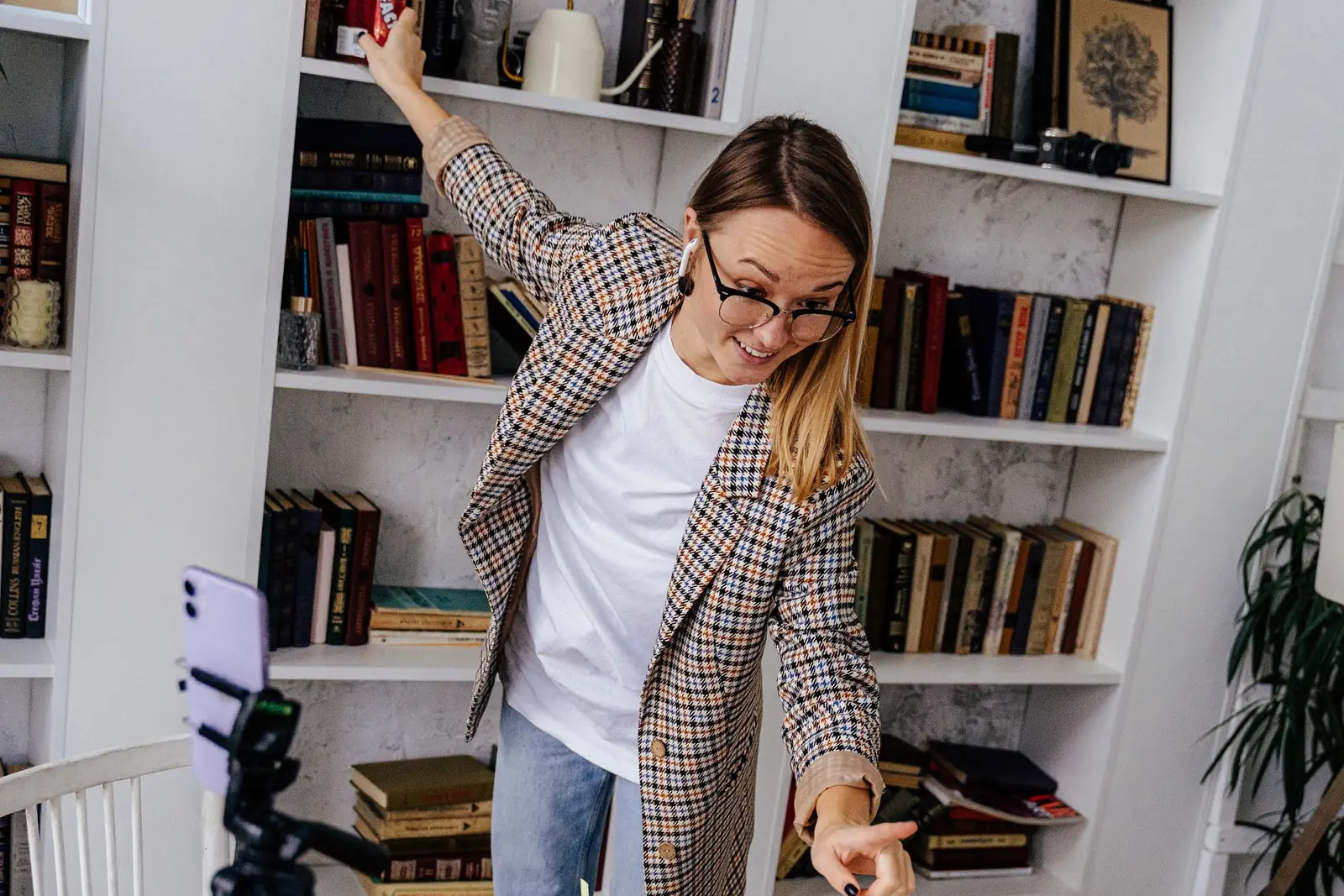
A teacher running an online class at a home desk with a laptop and a phone on a tripod
A single teacher can start with a kit at home. Institutes need rooms any teacher can walk into. Stock photo.

Buy the kit, or have us build the room

Most single teachers should buy a kit. Most institutes should not buy kits one room at a time, because every room ends up different.

Do it yourself

Buy the kit, set it up yourself

Pick the kit that fits how you teach at OneProGear, our own gear store. Products are genuine, new and sealed, with the maker's India warranty and a GST invoice. Swap any item and download a quotation. Dispatch takes 14 to 21 working days.

See the online teaching kits →
Plan your room in the Studio Planner →

We build it

We design, fit and train

For institutes, edtech companies, colleges and company training teams. We visit, plan each room around how your teachers teach, fit the gear, fix the echo, label everything and train your people. Four to six weeks from order to handover. Buy the gear through us on one bill, or take our list and buy it yourself.

Tell us about your rooms →
See the plans and full gear list →

Buying equipment only, for many rooms? Institutions can send one parts list to the Pro Desk at OneProGear and get a quotation within 2 business days of a complete request. Pay by NEFT, RTGS or PO, with a GST invoice for input credit. Pro Desk sells equipment only. It does not install. That is where we come in.

Two partners, no account managers

Onewrk is two partners in Bengaluru. Kishore T builds and fits the studios. Nikhil Bhansali handles strategy, audits, consulting and training. There are no account managers, so you talk to the people doing the work. We publish our gear lists and prices. Our studio setup page explains how we design and build rooms.

We install across India from Bengaluru. For teams in the US, UK and Australia, we plan rooms by remote consultation. Already teaching on YouTube? Ask for a free private review of your channel.

Common questions

A one-teacher kit from OneProGear, our own gear store, costs ₹22,885 to ₹3,50,205 with GST. A classroom lecture capture kit costs ₹2,63,514 to ₹4,44,203. A two-camera studio we design and fit for an institute costs about ₹10.11 lakh all in, plus GST, freight, wiring and civil work.
Five things. A camera at eye level. A mic close to your mouth. One soft light to the side of your face. A quiet room with soft things in it. And software to record or go live. Add a pen tablet or an overhead camera only if you write or show your hands.
For live classes, a good 1080p USB webcam is enough. For recorded courses, a mirrorless camera through a capture card looks sharper. In India, record at 25 or 50 frames per second to avoid flicker from tube lights.
Write on a pen display or tablet and record the screen, with your face cam in a corner. OBS Studio is free and does this. On paper, use a webcam or phone on an overhead arm, lit from both sides.
Yes. Make every room the same, put a one-page start checklist on the wall, use the same file names, keep two copies of every recording, and give one person charge of the rooms. Then any teacher can walk in and record.
Yes. Every room we fit comes with hands-on training and written notes, for your teachers and for the person who runs the rooms. The goal is a room nobody needs to call us about.
Yes. We give you the gear list and your team buys it, from the Pro Desk at OneProGear, our own gear store, or from anyone else. Then we fit it, test it and train your teachers. We quote setup and training after we see the rooms.

Planning teaching rooms for your institute?

Tell us how many rooms you need and how your teachers teach. We will tell you which path fits and roughly what it costs.

Plan my teaching studio

Tell us about your teaching rooms

Tell us how many rooms you need, their sizes and how your teachers teach. We reply in one working day. No sales deck.

Prefer to pick a time? Book a call directly.