Church and temple live streaming and recording setup

The stream should start with one button. Every service should be saved. And a volunteer should be able to run all of it. We fit cameras, streaming and recording for churches and temples in Bengaluru and across India, and connect them to the sound desk you already have. For churches abroad, we design by video call.

Updated November 2026 · Kit prices checked 13 November 2026

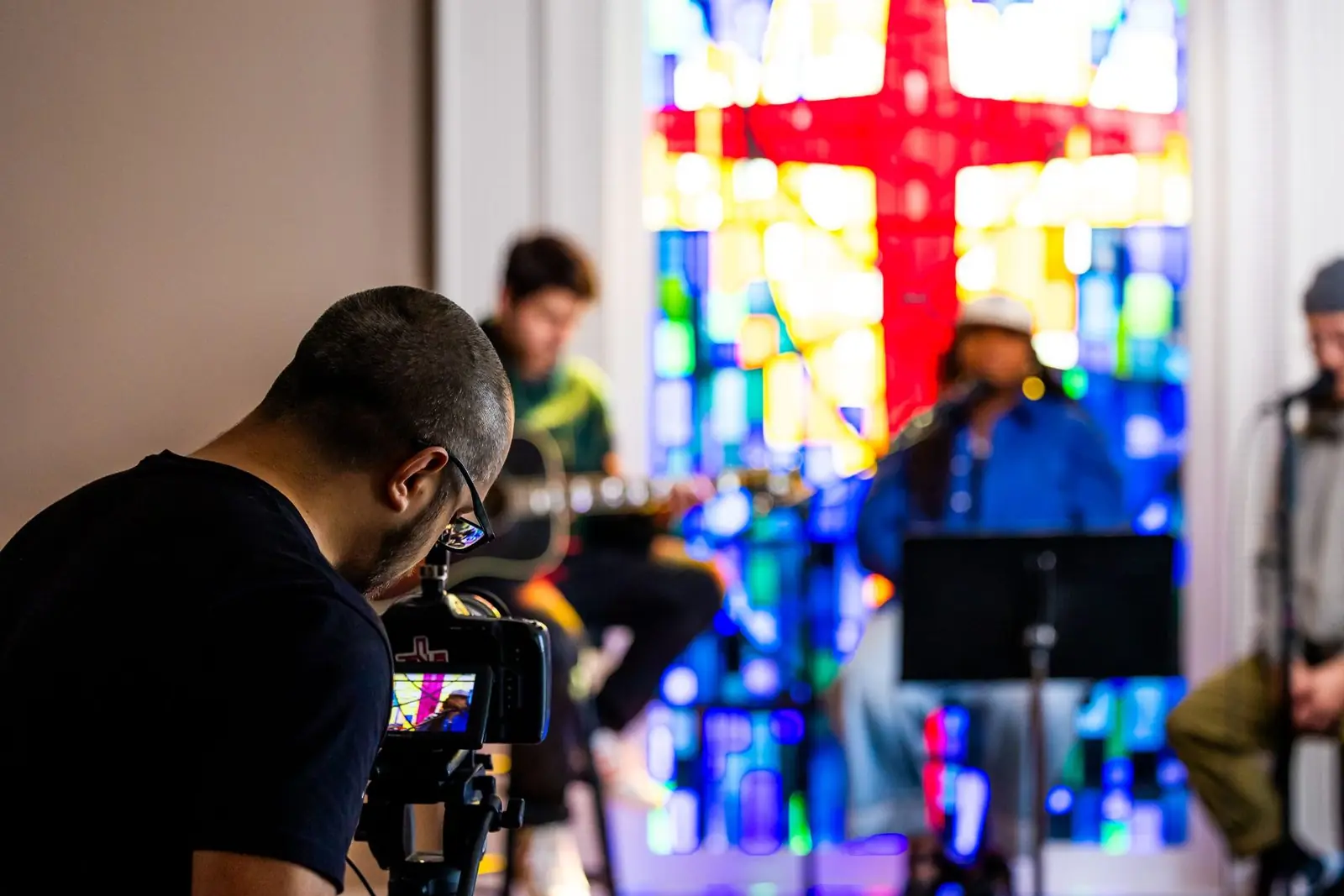
A camera operator filming musicians during a church service Stock photo

What a church or temple streaming setup includes

A worship streaming setup has four parts. Cameras that see the service. A switcher that picks the shot, sends the stream and records it. A clean sound feed for people at home. And internet and power that do not drop.

We design those four parts as one system. We fit it and connect it to your sound desk. Then we train your own people to run it. We do not send a crew to run your services.

What it costs, in short:

  • A one-camera streaming kit for a church or temple starts at ₹2,99,963 from OneProGear, our own gear store. That price includes GST and is as listed on 13 November 2026.
  • Two-camera kits are ₹6,13,601 for a church and ₹6,57,591 for a temple. Three-camera kits are ₹9,36,697 and ₹9,56,201.
  • Our fitting is about 10 percent of the equipment cost. Training is about 5 percent. Each shows on its own line in the quote.
  • GST, freight, electrical work and civil work are extra on our builds. So are travel and stay outside Bengaluru.

The same approach works for a gurdwara, a mosque, a derasar or a prayer hall.

We fit the stream, not the hall speakers

It helps to be clear about this early.

We do: cameras, the switcher, streaming, recording, the mics the stream needs, and the cable that brings sound from your desk to the stream.

We do not: design, supply or tune the speakers and amplifiers that the people in the hall hear. That is a different trade. If the sound in the hall itself is the problem, a sound contractor should fix that first. A stream can only be as clear as the sound it is given.

If your hall has no sound desk at all, we can still stream it. We give the stream its own mics, and they feed the stream and the recording only.

Good stream sound starts at your sound desk

People forgive a soft picture. They leave when they cannot hear. Most weak worship streams have the same fault: the sound comes from the camera's own mic, at the back of an echoing hall.

Take a feed from the desk

We run a cable from your sound desk to the switcher. The stream then hears the mics directly, not the echo of the room.

Ask for a separate mix

The main mix is made for the room. A choir, an organ or drums are barely in it, because the room already hears them. Online, they go thin or vanish. So we ask your sound operator for a separate output, balanced for the stream. Speech-only services can often use the main mix.

Add mics for the stream where the desk has none

The desk only knows about mics plugged into it. A congregation singing or a bell ringing has no mic. Where it helps, we add one or two mics that feed the stream alone, so the stream feels like the room.

Listen to what goes out

Someone should watch the stream on a phone, on mobile data, with headphones. The desk shows what goes out. The phone shows what arrives.

Church live streaming setup

A church team changes every week. So the system has to start the same way every Sunday, whoever is on duty.

Cameras

Start with one PTZ camera. A PTZ camera pans, tilts and zooms by remote. You save the shots once: pulpit, choir, wide. After that, one volunteer picks shots from a desk. Many PTZ cameras can also follow the speaker by themselves. Add a second and third camera when the team is ready.

The switcher

The switcher picks which camera people see. It streams over its own network port and records to a drive. No laptop has to stay awake through the service.

Words on the screen

Song lyrics and verses come from one computer. We feed that picture into the switcher. People online then see the lyrics cleanly, not a camera pointed at a screen.

Recording every sermon

The switcher records the full service as it goes out. Larger setups also record each camera on its own, so you can re-edit a sermon later for YouTube or for short clips.

One more thing. Streaming songs online needs the right licence from the people who own them. Check this before your first stream. We can tell you what to ask, but the licence is yours to arrange.

Temple live streaming setup

A temple is a different job. The sanctum is small, dark and lit by lamps. Aartis and festivals run long. Festival crowds are many times the daily crowd.

The darshan camera

One camera on the sanctum, saved as a fixed shot, gives the picture people open the stream for. A lamplit sanctum is dark. So the camera's low-light ability and one soft, well-placed light matter more than the number of cameras. We agree with the temple where a camera and a light may go, and where they may not.

Sound for mantras and bhajans

If the temple has a sound desk, we take a feed from it. If it does not, the priest gets a clip-on wireless mic that feeds the stream. A bhajan group sits on the floor, so a mic for them sits low too. Stone walls and big crowds cut wireless mic range, so the range should be tested on site before a mic is chosen.

Aartis and festivals

A long aarti should not depend on a laptop staying awake. The switcher streams and records by itself. For festival halls, a three-camera system on SDI cable has spare reach for longer distances and records every camera.

A recording of every event

Each aarti, discourse and festival is saved to a drive as it streams. The temple keeps its own archive and can post clips later.
Built for volunteers, not engineers

The person who switches the system on is rarely a video expert. That person also changes from week to week. So we build for them.

  • One switch-on order. Power, internet, recording, stream, phone check. Written down and kept by the desk.
  • Saved settings. Camera shots and switcher settings are saved, so every service starts the same way.
  • One-touch buttons. Labelled buttons for each camera shot and for "start stream".
  • Labels on everything. Every cable and power point is labelled, so a loose cable goes back in the right place.
  • At least two trained people. We train your volunteers hands-on, on your own system. Pick two or more.
  • A test stream before we leave. Run by your people, not by us.

Power cuts and a spare internet line

In India, the usual stream killer is a power cut. The generator brings the lights back quickly. But the router and the switcher have restarted by then, and a router can take minutes to come back.

  • Put a UPS on the switcher, the cameras, the router, the modem and the network switch. Not only on the computer.
  • Run a network cable to the switcher. Wi-Fi in a hall full of phones is not steady.
  • Keep a second internet line, or a 4G or 5G router, and practise the change before a festival day.
  • Record on site while you stream. If the internet fails, you still have the full service to upload later.
  • Run a short private test stream before every big day.

Your electrician does any new electrical work. We tell them exactly what the system needs.

Three sizes of system

Think of these as starting points. Kit prices are from OneProGear, our own gear store.

TierStarterBetterPro
SuitsA chapel, a small temple or a prayer hallA hall with a regular weekly stream and a small teamA large church or a festival hall
CamerasOne PTZ camera with saved shotsTwo camerasThree cameras on SDI cable
Switcher and recordingStreams by itself and records the serviceAdds room for the lyrics computer (church) or a sanctum light and a priest's clip-on mic (temple)Records every camera on its own, as well as the live cut
Church kitChurch live Starter: ₹2,99,963Church live Better: ₹6,13,601Church live Pro: ₹9,36,697
Temple kitTemple live Starter: ₹2,99,963 (one camera, two mics)Temple live Better: ₹6,57,591Temple live Pro: ₹9,56,201
Fitted by OnewrkAdd about 10 percent to fit and about 5 percent to trainSameSame

OneProGear prices include GST and are as listed on 13 November 2026. Check the live page for today's price. Kits are equipment only and do not include fitting. The PTZ cameras in these kits work within about 15 metres of the subject. Past about 15 metres of cable, we use SDI in place of HDMI. Your firm price for a fitted system comes after we see the hall.

What is included, and what is not

Included in an Onewrk build
  • A site visit and a written design: camera positions, cable routes and the control desk
  • A gear list with real model names, so you can compare prices
  • Fitting, wiring and labelling of the cameras, switcher and recorder
  • The sound feed from your existing sound desk to the stream
  • Mics for the stream, where the desk has none
  • Camera shots and switcher settings saved
  • Hands-on training for your volunteers, plus a written checklist
  • A test stream before handover
Not included
  • The hall's speakers, amplifiers and main sound desk, or any tuning of them
  • GST
  • Freight
  • Electrical work: new power lines, earthing, generator wiring
  • Civil work: chasing walls, conduit in masonry, false ceilings
  • Travel and stay outside Bengaluru
  • Streaming licences for music
  • A crew to run your services or events. We train your people to do that.

You can buy the gear through us on one bill. Or take our list and buy it yourself. Either way, each cost sits on its own line in the quote.

From first call to first stream

  1. Tell us about the hall. Its size, what you have now, and who will run the system. Photos and a short phone video help.
  2. Site visit. We look at camera positions, cable routes, the sound desk, the power and the internet. We meet the people who will run it.
  3. Design and quote. You get the layout, the gear list and a price with every line shown.
  4. Fit. We fit the cameras and the desk, and connect the sound feed.
  5. Train and hand over. Your team runs a test stream while we are still there. After handover, we help by video call.

In Bengaluru we come to you from our office in JP Nagar. We do not charge for the site visit, and there is no travel charge inside the city. See studio setup in Bangalore. Elsewhere in India we travel from Bengaluru, and the travel cost is written in the quote before you approve it.

Remote streaming design for churches and temples abroad

We do not install outside India. For a church or temple in the US, the UK, Australia or elsewhere, we work by video call.

You show us the hall on a call and send measurements and photos. We send back camera positions, a gear list you can buy locally, and wiring diagrams. Then we join calls while your team sets it up.

This is paid consulting time: $250 an hour in the US, UK and Australia. In India it is ₹25,000 an hour plus GST. See how paid time works.

It suits a congregation with a handy volunteer team.

Buy a kit, or have us fit it

Do it yourself

Buy a kit

OneProGear, our own gear store, sells church live kits and temple live kits. Their guide to PTZ cameras for a small church is a good place to start.

Done for you

Have us fit it

Onewrk plans the camera positions, fits and wires the system, connects it to your sound desk and trains your volunteers. Choose this when the cables must run through the building, or when nobody on your team wants to pull cable.

Tell us about your hall.

Two partners in Bengaluru

Onewrk is two partners. Kishore T designs and fits the rooms and systems. Nikhil Bhansali handles strategy, audits, consulting and training. There are no account managers and no sales team.

We publish our gear lists and prices so you can check them before you call.

More from Onewrk

Common questions

A one-camera kit starts at ₹2,99,963 from OneProGear, our own gear store. Two-camera kits are ₹6,13,601 for a church and ₹6,57,591 for a temple. Three-camera kits are ₹9,36,697 and ₹9,56,201. These prices include GST and are as listed on 13 November 2026. If Onewrk fits it, add about 10 percent for fitting and about 5 percent for training. GST, freight, electrical and civil work are extra on our builds.
No. We do not design or fit the speakers and amplifiers for the hall. We fit cameras, streaming and recording, and we connect them to the sound desk you already have. If the sound in the hall is the problem, a sound contractor should fix that first.
Yes. We give the stream its own mics, such as a clip-on wireless mic for the priest or pastor. Those mics feed the stream and the recording only.
Yes. That is how we design it. Camera shots are saved, cables are labelled, and each shot has its own button. We train at least two of your volunteers on your own system and leave a written checklist.
One is enough to start. A single PTZ camera with saved shots covers the pulpit or the sanctum, plus a wide view. Add a second and third camera when your team is ready to switch between them.
Yes, across India. We travel from Bengaluru. Travel and stay are extra and are written in the quote before you approve it.
Yes, by video call. We plan the camera positions, send a gear list you can buy locally, and join calls while you set it up. This is paid consulting time at $250 an hour. We do not install outside India.
No. We do not crew events. We build a permanent system and train your own people to run it. For a one-off event, hire a local live production crew.
Yes. The switcher records the full service while it streams. Larger setups also record each camera on its own, so you can edit a sermon or a discourse afterwards.

Want a stream your volunteers can start with one button?

Tell us the size of the hall, what you have today and who will run the system. We will suggest a setup and arrange a visit.

Tell us about your hall

Tell us about your hall

Send us the hall size, how often you stream and who will run it. We reply in one working day. No sales deck.

India: +91 96795 13231 (call or WhatsApp)

Prefer to pick a time? Book a call directly.